


🚀 Read this must-read post from Hacker News 📖
📂 **Category**:
💡 **What You’ll Learn**:

Welcome to the Progress Report for Dolphin Release 2606. We usually prefer to launch toward the beginning of the month, but a slew of important, large, and technically challenging changes had us working overtime. Strap in, because we have a lot to cover!
For April Fool’s we teased that Dolphin now had support for the Game Boy Player, but the joke was that it was real! We’ll detail exactly how it happened and the challenges that surrounded getting the emulated hardware and software working together. The last unplayable Triforce game, The Key of Avalon, no longer has that title! It is now functional in Dolphin, supporting up to five instances of the emulator together for 4 player (and a server) action. And Graphics Mods quietly fixed a major visual issue at high resolution that has plagued many flagship games for Dolphin’s entire existence!
All of that and more in this Dolphin Progress Re-
✱ knock knock knock ✱
Huh, someone’s at the door. Could you get that?
That’s right! Since the last Dolphin Progress Report, RetroAchievements support has come to Wii games. You can now waggle your way up the leaderboard! We’ll go over some statistics of the launch in a section down below, which you can reach with this handy link!
Without further ado, let’s get to the Notable Changes for Dolphin 2606!
Notable Changes
All changes below are available in Release 2606.
2603-175 – HW: Game Boy Player Support by Billiard and endrift
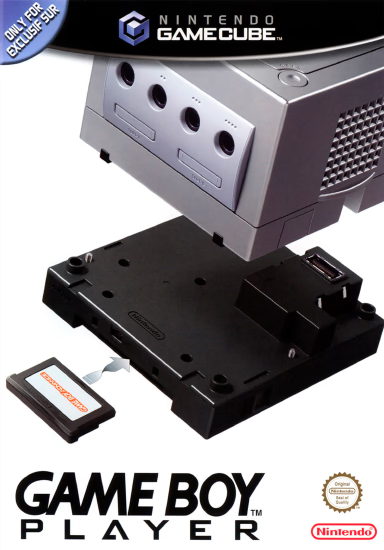
The Game Boy family of handhelds are legends of a bygone era. Under the crushing weight of incredibly primitive technology, Nintendo chose to focus on portability and great games rather than pushing the latest and greatest hardware. They were right. The Game Boy line outsold every single competitor they ever faced!
However, as great games accumulated on the platform, demand began to build for a way to play them on nicer, larger, lit screens. Nintendo eventually answered it with the Super Game Boy for the Super Famicom/Super Nintendo, and its Advance‘d successor, the Game Boy Player for the Nintendo GameCube.
These devices were literally Game Boys without a screen that plugged into a home console, transmitting audio and video to the host console and receiving input from its controller. Software running on the host console would handle interfacing between the two systems and sometimes could add additional features if a game supported it.
We imagine that Nintendo chose to use actual Game Boy hardware because of the difficulty of making a general-purpose software emulator. The perfect demonstration of this is a third-party competitor to the Game Boy Player, the Advance Game Port, which attempted just that! By creating a Game Boy Advance emulator, Datel was able to ship a lower cost way to play GBA games on a GameCube. It was very ahead of its time, but also very flawed.
Nintendo showed that they could do emulation better on a per-game basis with titles like Pokémon Box, but they didn’t see it as a plausible solution for the entire library. By shipping actual GBA hardware, the Game Boy Player was able to bypass all performance and compatibility concerns.
Being a peripheral for the GameCube, emulating the Game Boy Player has always been in the back of our minds. There was even an feature request for it for over 16 years! But it languished on the issue tracker and became the oldest open issue for one simple reason: emulating the Game Boy Player would essentially mean emulating a Game Boy Advance (which potentially involves making a new GBA emulator from scratch) and how it communicates to the GameCube. There was no way anyone would be willing to volunteer the gargantuan effort necessary just for an amusing curiosity.
Ultimately, the feature request was accepted, but there was really no path forward for it back then. We just recommended that users use one of the many available GB/GBC/GBA emulators already available, and figured that would be the end of it. They could even use the Advance Game Port in Dolphin if they really needed to run GBA games in Dolphin, as that peripheral has been partially supported since the 4.0 era.
For the longest time, the feature request was completely dormant, until around five years ago. Support for the Game Boy Player became a bit more realistic when mGBA was integrated into Dolphin. It was the ultimate solution to emulating the Game Boy Advance connectivity features found in some GameCube games, fixing all of the synchronization and communication issues that had plagued the feature for years in one fell swoop. With this, the tables had turned on Game Boy Player emulation. Couldn’t we just use the integrated mGBA to emulate the Game Boy Player hardware?
The answer was yes, and endrift got to work on a Game Boy Player implementation in Dolphin! However, for various reasons, the project stalled out. And so it sat as years went by, forgotten by everyone… except the users who would occasionally ask us why we teased it as coming soon at the end of the integrated mGBA article. Oops.
Fast forward to 2026, and in the waning days of March, Billiard stumbled upon endrift‘s mostly-finished Game Boy Player project, and had an idea. A wonderful, awful idea: wouldn’t it be funny to complete the work and add Game Boy Player support to Dolphin on April Fools’ Day? With just days until the first of April, the plan rapidly unfurled and developers pounced on the code, rushing to polish things up for a quick pull request, review, test, and merge. Game Boy Player support ended up being merged a few hours into April Fools’ Day.
The final part of the gag was this image, which we posted without explanation on our social media and Discord on the first day of April. Watching the confusion and disbelief give way to excitement was delightful.
While we did a lot of testing to make sure Game Boy Player support was working, when legendary GameCube sage extrems started typing in our developer chat shortly after the pull request was merged, we knew we had !#@%ed up. Not only are they a living reference book for GameCube hardware, they are also the author of the definitive Game Boy Player homebrew software, Game Boy Interface (GBI). And Game Boy Interface exposed a lot of problems in Dolphin’s Game Boy Player implementation.
Click/tap to play, file has audio
How did we miss this? During the rush to polish and test the code, we primarily used the official Game Boy Player Start-Up Disc. That software heavily processes everything from the Game Boy Advance hardware, crushing its video contrast and applying filters to its audio. The processing was so heavy that the audio issues went unnoticed during our rushed testing – the audio sounded a little muddy rather than piercing.
In all honesty, Game Boy Player support really should have gone through a lengthy review process to allow people like endrift and extrems to test and comment heavily on the code and implementation. But if we did that, it probably would have just sat around in our open pull requests and ended up bitrotting again. By pushing things straight to production, we forced ourselves into the position of needing to fix the issues fast.
And after at least a few very minor fixes and improvements, the situation wasn’t nearly as dire.
All of that work has paid off. As Game Boy Player support enters a Dolphin release and sees wider availability, we think it is ready.
Click/tap to play, file has audio
To use the Game Boy Player in Dolphin, simply load a Game Boy game into the Game Boy Player via the “Game Boy Player ROM” setting in our GUI, then run the Game Boy Player Start-Up disc or Game Boy Interface. That’s it!
And that’s all there is to it. Dolphin will automatically attach the Game Boy Player hardware when necessary through INI settings. If desired, users can manually attach the emulated Game Boy Player by adding HSPDevice = 2 under [Core] in Dolphin.ini or a GameINI. This should do nothing to actual GameCube games though. …Probably.
Note: For importing/exporting saves from other Game Boy emulators, the Game Boy Player technically counts as GBA slot 5 in Dolphin (after the 4 Integrated GBAs) and will load saves that have “-5” appended to them.
Now, we need to take a moment to go over the limitations of our Game Boy Player support.
Dolphin is not a Game Boy emulator; we emulate the GameCube, Wii, and Triforce. Our integrated GBA is only there to support things that a GameCube can do, such as connecting a Game Boy Advance to the controller port in supported games, or attaching a Game Boy hardware peripheral and funneling its audio and video to a large screen. As such, we are not trying to replicate every part of the Game Boy experience. We are only trying to recreate the Game Boy Player experience specifically, along with all of its quirks.
Game Boy Player support in Dolphin should be considered a curiosity rather than the premier way to run these handheld games in an emulator. Not only does Dolphin have much higher system requirements, but dedicated Game Boy emulators will provide a superior experience in almost every way, with better fitting UIs and support for many more Game Boy features. They also don’t need additional software to use their Game Boy hardware. But if you have a Game Boy Player and Start-Up Disc lying around and desire some nostalgic fun, or want to explore the Game Boy Player experience with GBI in Dolphin, or if you just really need those sweet borders (we get it), Dolphin’s Game Boy Player emulation is for you.
2603-37 and 2603-100 – Triforce: Implement Necessary Hardware for The Key of Avalon by Billiard and Crediar
The Key of Avalon games on the Triforce represent an incredible emulation challenge unlike anything else that Dolphin has encountered before. And it’s not because the game itself is difficult to run; at its core, it’s a relatively simple game to emulate. There’s no crazy graphical effects, wacky CPU tricks, or any MMU manipulation. It’s just a basic game.
The problem we encountered was that this game is so rare that we were never able to actually get our hands on the cabinets, only the GD-ROMs that the games came on. And this is a pretty big problem, because the unique hardware was the whole point of the game – four satellite Triforces with touchscreens and card readers that communicated with a central Triforce connected to a large screen to allow for multiplayer trading card monster battling in full 3D!
The biggest hurdle was the touchscreens inside the pedestals. They were completely foreign to anything we’ve ever seen, Triforce or GameCube! As it became increasingly clear that we may never get a chance to see the real hardware, we employed the tried and true strategy of “poke at it until you find something”. It’s not a particularly efficient way forward, but it was the only option available. Any signs of life moved us closer, and after a few weeks of throwing stuff at the wall, we eventually made a breakthrough. We had stumbled across the Elo SmartSet Data Protocol for touchscreens, which ended up being similar to the protocol the game actually uses. That lead didn’t get us all the way there, but it was close enough that we could get to the finish line on our own.
Finally, we could push that “START” button on the touchscreen and go in-game… right?
After all of the work to get the touchscreen functional, this was a heartbreaking moment. However, it wasn’t all bad. We could finally access the game’s tutorial if we don’t insert an IC Card. This allowed us to reach some delicious scripted gameplay and told us that we couldn’t be that far away.
The problem was that we didn’t know exactly what was causing the hang. There could be more oddities with the touchscreen, problems with the deck/card readers, and it also had to communicate with a server in order to proceed to gameplay. Given that the tutorial didn’t use any networking, the client-server networking was the first target of our attention.
As detailed in our Rise of the Triforce article, this game uses a server-client architecture, where the touchscreen pedestals are the clients and the central Triforce is the server that actually controls the game state. We thought that perhaps there was some issue with the network, but as far as we could tell, the game wasn’t even trying to communicate with the server yet. It initially synced up on power-on, but didn’t spam any network commands during the hang. However, thanks to a patch that allowed us to see some debug output from the game, we were able to see some IC Card commands repeating indefinitely.
For a quick refresher, IC Cards are physical cards that can be used to save your progress in some Triforce games. We initially assumed that IC Cards would work fine in Avalon, as they already functioned properly in Virtua Striker 4 and Gekitou Pro Yakyuu. But the logs weren’t lying – something was wrong, and some quick hacks to the IC Card handling code changed the behavior.
Undeterred by setback after setback, Billiard ended up rewriting a good chunk of the IC Card handling code in order to make it behave more logically. While we can’t say for sure this is how real hardware would behave without having access to it, the responses make a lot more sense. But with the rewrite, we also broke both Virtua Striker 4 and Gekitou Pro Yakyuu. Great.
Thankfully, these regressions were more a consequence of rewriting a lot of code at once, and didn’t end up being much more than bumps on the road. After fixing them and tightening up the code a little bit more, it was time to try The Key of Avalon once again.
Finally, it was in-game!
However, even though we could control the game, we still didn’t implement enough of this game’s weird hardware to make it truly playable. The game was giving us a deck of mostly starter cards and other garbage because the deck reader wasn’t fully working. crediar had already started efforts on implementing the deck reader and did hardcode a list of cards to give the player. This worked for 27 of the 30 cards, and the game generously filled out the rest of the deck with starter cards. But to play a trading card game, you really need to be able to build your own deck.
An elegant solution would be to have a GUI deck editor where you can construct and load multiple decks for playing the game. However, that would be a lot of work, and we were still understanding the game at this point. Instead, Billiard added a quick and dirty method to load a deck of cards into the game using a JSON file.
With all of this, it is finally at least possible to play The Key of Avalon in Dolphin. Full matches against other players and the CPU both work, and players can save their progress to IC Cards. But this isn’t to say it’s a perfect experience quite yet.
Currently, entering the Segaboot menu will essentially softlock the game as it cannot reboot normally for unknown reasons. The game does not detect that prize cards have been dispensed, meaning there’s a message at the top of the screen after rounds telling you to take your prize cards. This message can be reset in the Segaboot menu. We hope to fix these problems in the future.
2603-215 – Graphics Mods: Enhance Bloom by iwubcode
For a large set of GameCube and Wii games, including many flagship titles, a broken effect has significantly impaired their visual fidelity at high resolutions for Dolphin’s entire existence. Yet under everyone’s radar, iwubcode has slipped in a fix for this problem, quietly producing one of Dolphin’s biggest graphical enhancements in years! But to explain this, we need to go over what the effect was trying to achieve in the first place.
Let’s talk a bit about light.
Camera sensors and film have a limited dynamic range, so the photographer must adjust the incoming light with the aperature and shutter speed so the subject is within the dynamic range of the media (properly exposed). However, photography sensors and even film cannot capture the entire dynamic range of the world. This can result in an artifact. If a spot of light in the scene is much brighter than the dynamic range of the sensor/media, it will not only peak out the spot it falls on, but also bleed a little bit into dark areas around the light, softening and rounding highlights.
This phenomenon is the overexposure artifact halation in film and CCD saturation or “charge bleeding” in digital photography. There are differences between the two but we’ll just refer to halation for convenience from here on.
Haze (atmospheric light scattering) is a visual phenomenon caused by light bouncing on particles suspended in the air or the air itself, resulting in a diffuse glow around intensely bright objects. ✱ Flare and other optical phenomenon can add glow as well.
All combined, these artifacts result in “bloom”, the glow around bright objects as seen in photos.
We have all been exposed to a bazillion photos and videos from real life on a limited range display. Our brains have learned to pick up on the artifacts that brightness beyond the dynamic range creates in the camera, and given the correct context, they can interpret this as brighter than just white alone.
This illusion means that bloom is essential for making objects look bright on a standard dynamic range display.
Yet for a long time, games were not able to reproduce these artifacts. They were limited to “SDR rendering” – their engines were internally limited to the same tiny dynamic range as a typical CRT. The brightest white a game could comprehend was the same white as the screen, same with black. With this limitation, game engines could not understand dynamic range at all, let alone recreate the artifacts that result from it! This manifested in games having a flat, low-contrast, and “cartoon-background” look. Artists could still make games look amazing, of course, but due to the difficulty of manually lighting every single scene, SDR rendering’s limitations still largely drove the look of lighting in the games industry.
This changed with the advent of High Dynamic Range Rendering (HDRR) in 2004. With HDR Rendering, game engines could now understand and render way beyond the limitations of SDR, and then tone map down to SDR for display. In effect, the game’s camera now percieved light akin a camera looking at the real world. In-camera effects such as crushed blacks, halation, haze, flares, specular highlights, sparkles, aperture and exposure, bokeh, and more could be properly recreated in games!
The effect this had on the gaming industry was transformational. HDR Rendering has become ubiquitous, so much so that the term has largely disappeared – it’s just rendering now!
So, what did all this mean for our favorite purple cube and waggle stick?
The GameCube and the Wii were built on top of ArtX graphics technology from the tailend of the 1990s. Their graphics hardware, while very capable and flexible, was fundamentally limited to SDR rendering. As HDR rendering was revolutionizing game lighting in the mid-2000s on PC and the “next generation” of consoles, GameCube and Wii games were starting to look… old fashioned. How could developers for the GameCube and Wii keep their games looking fresh?
If you don’t have the tech, just art it instead!
The GameCube and Wii were not capable of understanding dynamic range, so the game engine cannot determine when a pixel is “brighter than bright” on its own. But what if we just let artists tell the game engine instead? If a texture mapped the light emission that goes beyond the standard dynamic range, an emission map if you will, then the game engine could use that information in the scene to create effects that look like HDR Rendering! Keep in mind that this isn’t actually HDR Rendering, and it’s limited in what it can do. For example, you can forget about dynamic lighting in a system like this, as it is by definition not dynamic. But if the game is baking all the lighting anyway, as most GameCube and Wii games did, they could use this trick to tremendous effect.
This “fake HDR bloom” showed up all over the place, including flagship games! Twilight Princess, Metroid Prime 3 and Trilogy, Xenoblade Chronicles, Super Mario Galaxy 1 and 2, Ōkami, Sonic Colors, The Last Story, Rogue Squadron III (of course), Donkey Kong Country Returns, Shadow the Hedgehog, and dozens more all use this effect, either in specific areas or throughout the whole game!
How the effect is built by the game engine is fairly straightforward – it’s just smart artistry combined with the brute force blending power of the Flipper/Hollywood. To explain, let’s walk through how Prime 3 does it.
- After primary rendering is done, the game has a whole frame in memory, sans the bloom and HUD and a few other bits.
- Then, it renders an quarter resolution EFB Copy of the screen, but samples the “emissions textures” ✱ instead of diffuse textures.
- Prime 3 darkens the emissions EFB Copy, then it creates a slightly offset duplicate, which it dims and blurs. It does this six times, three offset copies to right and three to the left, while increasing dimming as the copies move away from center.
- It additively merges all these EFB Copies together, dims it, then repeats the offset duplication step again but vertically.
- Finally, Prime 3 additively blends the completed bloom image over the screen, and then renders the HUD and other remaining bits to finish.
Here are all of those steps as shown by our FIFO Player one after another, slowed down and enlarged for your viewing convenience.
Click/tap to play
…But there is trouble for Dolphin lurking in this bloom effect. Sharp-eyed readers may have noticed that the demonstration images above are all 1x Native. What happens when we increase the internal resolution in Dolphin?
We can see duplicate copies of the lights all over the place!
What is going wrong here? The blurring. These games blur the bloom EFB Copies by an arbitrary value, a number with no relation to the rendered screen that the developers hand-calibrated for a 480p image. Since it’s just a number, one of the thousands of numbers spread throughout the game’s code, Dolphin has no awareness of this arbitrary value and cannot change it. So when Dolphin raises the resolution of the EFB Copies with Scaled EFB Copies, the bloom is no longer blurred enough for the new higher resolution, exposing the layers that compose the bloom.
And Dolphin largely hasn’t had a way to deal with this. For about a decade, the only options players had were to play a game with fake HDR bloom at 1x Native… or live with this.
Frustrated by this reality, savvy users began creating “No Bloom” Action Replay codes. Removing the bloom altogether certainly removes the broken effect, but it achieves that by outright removing a feature of the game’s lighting. It could never look right.
It was quickly realized that a better solution was to keep the bloom EFB Copies at native resolution while the rest of the game could run at higher resolutions. “Native Bloom” experiments worked decently well, improving on the bloom separation while roughly maintaining the correct look of the game… until the player moved.
Click/tap to play
And… that’s it. If you wanted to play one of these games in Dolphin 2603, those were your options. It wasn’t great.
Enter iwubcode. They have been working on their Graphics Mods system for a while now, slowly building and expanding its capabilities over the past few years. Rather than hijacking the game’s code with PowerPC assembly (game patches) or general memory editing (Action Replay codes), graphics mods work inside Dolphin’s rendering pipeline, altering Dolphin’s output exclusively. Graphics Mods work in two parts – the action, and the target. The action is how the graphics mod should affect Dolphin’s rendering pipeline, i.e. “delete an EFB Copy”, while the target is the only thing that is specific to a given game, such as “this is the hash for the EFB Copy I want to remove.” This is a very simple example for demonstration purposes, but Graphics Mods are able to do a lot within Dolphin’s rendering system, such as apply any shader to an EFB Copy.
Early on, iwubcode implemented No Bloom and Native Bloom as graphics mod actions. Since then, iwubcode and many other contributors have been adding targets for bloom (called “bloom definitions”) in game after game, with over 50 games so far! However, No Bloom and Native Bloom still have the same compromises as before – they either seriously change the look of the game, or create flashing that may be worse than the problem it’s trying to solve.
But now, finally, we have a true solution with iwubcode‘s new graphics mod, Bloom Blurred. This mod targets the source of the bloom problem directly by making Dolphin perform its own blur on the bloom effect, one that accounts for the current resolution. With this graphics mod, fake HDR bloom effects can be rendered at any internal resolution without any issues.
And thanks to all the bloom definitions that have been contributed over the past four years, Dolphin already knows the EFB Copies for the bloom effects of over fifty games. Every game that had a native bloom or no bloom graphics mod now also has blurred bloom!
At long last, the crown jewels of the GameCube and Wii can shine in high definition!
To use Bloom Blurred, all you need to do is have Graphics Mods enabled, then access the properties for a game (right click > properties on desktop, long press on Android) with the Graphics Mod, and enable Bloom Blurred.
If you run into a game with a fake HDR Bloom effect that doesn’t have bloom Graphics Mods available, please record the scene in a FIFO log and send it to us!
2603-379 – AudioCommon: Add individual Wiimote audio mixer by TheShrubMaster
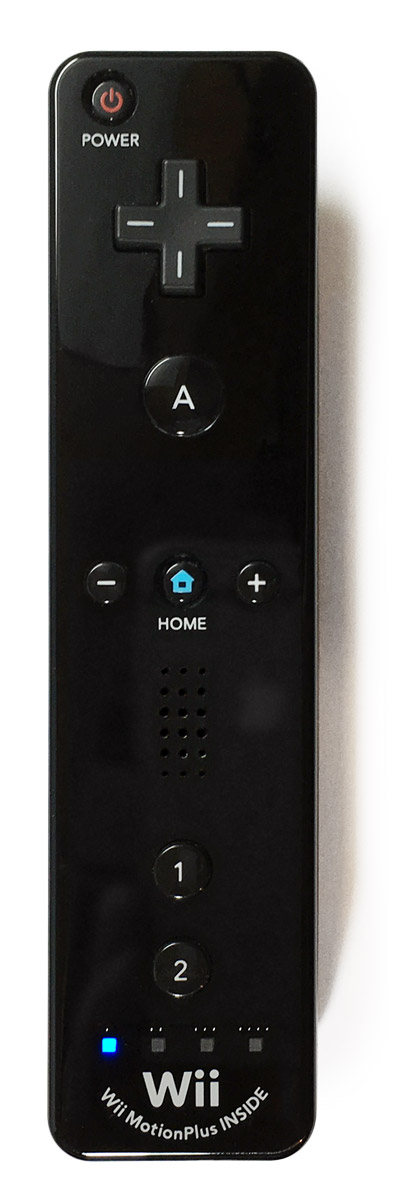
The Wii Remote had a lot going on. It was Nintendo’s Hail Mary after the GameCube floundered, and they threw a lot of things at the wall to see what stuck. While it was the motion controls, infrared pointer, and attachments like the Nunchuk that really caught on, there were even more features in the legendary controller that didn’t take the world by storm.
Case in point: the Wii Remote’s speaker. Having a speaker built into the controller allowed games to do cool things like send an audio cue to a specific player, or have sound from your weapon come from near you to add immersion. It’s a really cool feature, and while speakers didn’t become a standard controller feature the way motion controls have, the idea has continued in various forms to this day, from the speaker in the DualSense to haptic audio in Nintendo Switch 1/2 controllers and the Steam Controllers.
However, this early implementation was… not very good. The Wii Remote’s speaker is very low quality and it suffers from Bluetooth connection issues, so sound is choppy and unreliable. Because it was spotty on the best of days, most games didn’t use the Wii Remote’s speaker for essential audio, or if they did, they also had the ability to play it over the television speakers.
And that was how Dolphin handled speaker audio. If the player wasn’t using a physical Wii Remote (via Real Wii Remote or Bluetooth Passthrough), all audio intended for the Wii Remote would be piped over the main speakers instead. But now we have another option! TheShrubMaster has added a mixer so Wii Remote speaker audio can be played over any additional speaker device, including controllers that expose an audio output!
Click/tap to play, file has audio
The Wii Remote speaker mixer needs an additional audio output to do anything. USB audio devices, Bluetooth speakers/headphones, monitor speakers, or a controller with a speaker (if it exposes the audio output) can work. We haven’t tested haptic audio, but if there is a way to expose haptics as an audio output, it should just work. Please let us know if you try that.
This feature is currently only available on our desktop Qt interface.
2603-388 – Expand and Enhance Dolphin’s Cropping Capabilities by adamscott
Over ten years ago, Dolphin stopped assuming games were 4:3 or 16:9, and actually began to emulate the weird arbitrary analog aspect ratios of GameCube and Wii games. However, we then had to decide how to handle the small mismatch with your screen’s aspect ratio. After some deliberation, we decided that by default, Dolphin will show everything the game renders and have tiny black bars if required. But if desired, the user could turn on “Crop” and zoom in a tiny bit to fill their entire screen, à la overscan.
While this was fine for most games, there were many edge cases that left users wanting more out of our Crop feature.
Now you can finally do something about it! adamscott has expanded Dolphin’s crop feature with custom cropping support. With this, you can crop the screen however you want!
There is nothing limiting you to removing black bars. For instance, if using NetPlay, you can crop your screen so that only your screen is visible in split-screen multiplayer. Unlike viewport cheats that some NetPlay communities have used, cropping doesn’t affect the game whatsoever and doesn’t risk desyncing. The downside is that menus and other parts of the game get cropped too, so you may need to enable/disable the setting while playing the game.
You can find the custom crop options in Graphics -> Advanced, in both our Qt and Android GUIs. The previous crop feature remains, but has been renamed to “Crop to Aspect Ratio”.
This Release’s Contributors…
Special thanks to all of the contributors that incremented Dolphin by 443 commits after Release 2603!
Android minimum version bumped to Android 7
We’ve covered several minimum OS version bumps here on the blog, but Android has always stayed the same, locked to Android 5 Lollipop (API level 21) since 2015! But Android’s time has finally come. As of 2603-57 and the latest release with 2606, Dolphin’s minimum Android version is now Android 7 Nougat (API level 24). The reason for the increase is a familiar one – the old version was preventing Dolphin from adopting new features and forced us to maintain messy code for compatibility with older Android versions.
As we always do when we bump the minimum version of an operating system, here is a graph showing the percentage of affected users, according to our analytics.
Dolphin and the Revenge of the Aggressive AI Scraper Bots
In the Dolphin 2506 Progress Report, we talked about how aggressive AI training scraper bots were effectively DDoSing our websites. This problem was mitigated with Anubis, which uses proof of work checks, cookies, and other techniques in an attempt to verify that a request is coming from a real browser before allowing it to hit our servers.
While we have deployed Anubis to our websites that are heavy on dynamic user content, like our wiki and forums, we tried to avoid deploying it to our main website to avoid unnecessary user friction. The first time that a user visits a website protected by Anubis, it shows an interstitial page, forcing users to wait as their browser crunches numbers for an unspecified amount of time. Anubis also requires cookies and even JavaScript support in the more stricter bot check modes. While it has been very effective on the sites we have deployed it on, we wanted as many people to be able to access our main website as possible, and Anubis was a little too intrusive for our liking. So, we decided to leave our main website without Anubis and see how it would cope.
Unfortunately, the AI onslaught has only gotten worse over the past year. The amount of traffic hitting our main website has continued to grow and has now become unsustainable. At one point In March, our hosting provider recommended that we upgrade to a new plan that would better suit our traffic needs. Their suggested plan was over €1,000 per year more expensive than what we were currently paying. To avoid having to upgrade while we decided on a course of action, we temporarily added strict limits on the amount of CPU that our main website could consume. While this was effective, it also significantly reduced the number of requests that the website could handle, which caused slow loading and a number of full outages throughout the subsequent weeks. It was clear that something had to change.
Bunny
When this issue was brought up in one of our chats, a former Dolphin developer suggested that we should give Bunny a try.
Bunny is a platform that offers Content Delivery Network (CDN) services. A CDN is a network of servers located all over the world that act as intermediaries between a user and our server. When a device attempts to connect to a server behind a CDN, the request first reaches a CDN server. The CDN server then reaches out to us, forwards the response to the user, and then caches the response locally. If another request comes in for the exact same page, the CDN will simply serve what it has cached instead of reaching out to our server again. With this setup, most user interactions can be served by the CDN itself, spreading out the load through a highly optimized cache network, and most importantly, keeping that load off of our server.
Bunny also offers Web Application Firewall (WAF) services. A WAF allows us to inspect all traffic that is inbound for our server and only allow requests that we deem to be acceptable. Bunny’s WAF product includes bot protection, which automatically detects requests from suspicious users and challenges the user to prove that they are human. We are also making these challenges appear for all users specifically on pages that cause high server load when being scraped, like our build list pages and download pages for individual builds. Using the WAF’s log inspector, we were also able to find and remove a quirk of our website’s localization system that some scrapers were (accidentally) abusing to increase the load on our server.
We never thought that we would ever get into a situation where our relatively small and simple website would need a CDN or a WAF. CDNs are more often used by websites that need to deliver a lot of data fast (like Netflix, for example), and our website hasn’t been a target for any kind of abuse that necessitates a WAF until recently. But the Internet has changed significantly since we first launched our website in 2012. We are now being forced to adapt to a new reality where bots are generating more traffic on the Internet than humans.
Please note that we are still tweaking and optimizing our Bunny setup. If you find anything broken on our main website, do let us know.
A Note to the Nicer Kind of Scrapers
We have noticed that there are several well-meaning bots which scrape our website to find the latest version of Dolphin. While we are trying to keep some of these bots working by adding exceptions for them in Bunny’s WAF, we can’t guarantee that this type of scraping will continue to function in the future.
If you are operating one of these scrapers, we highly recommend that you switch to the API endpoints used by Dolphin’s auto-updater. They allow you to query the latest Dolphin version and get direct links to the build artifacts. Most importantly though, the endpoints are exempt from Bunny’s bot protection.
Use the endpoint GET /update/latest/(track name) to fetch the latest Dolphin version. The beta track is for releases, and the dev track is for development builds.
For more information on our updater API, please check this GitHub wiki page.
A New Iteration of Redump
Dolphin’s websites are far from the only ones facing an onslaught of AI scrapers. Redump.org, which is a catalog of metadata about video game discs, has been hit so hard it often becomes completely unavailable. Dolphin’s Redump integration has worked pretty well for many years, but if you use it nowadays, you might get unlucky and find that no data was returned!
Unfortunately, the only person who has direct access to the Redump.org website has been inactive for years. Not only does the site lack any kind of protection against AI scrapers as a result, but there are many other problems that have gone unaddressed: no HTTPS support, registration emails not reaching common email providers like Gmail and Hotmail, and a lack of many things that could make the process of submitting and moderating discs smoother. So the staff (absent website administrator not included) banded together and moved Redump to a new and improved website! You’ll find it at the new address Redump.info.
Of course, Dolphin has been updated to match! If you go to the Verify section of a game’s properties, Dolphin will now fetch information from Redump.info. It works just like before, except the site is online more often and the connection is encrypted.
A Quarter of Wii RetroAchievements
Last but not least, the RetroAchievements team has shared with us a bunch of statistics for the first three months of Wii RetroAchievement support. You can find the full statistics on their forum but here are some highlights!
To return to the Notable Changes, click or tap here.
Top Ten Games by Player Count
| Game | Players |
|---|---|
| Super Mario Galaxy | 5408 |
| New Super Mario Bros. Wii | 4052 |
| Mario Kart Wii | 3744 |
| Super Smash Bros. Brawl | 3445 |
| Animal Crossing: City Folk | 2132 |
| Who Wants to Be a Millioniare: 1st Edition | 2034 |
| Super Mario Galaxy 2 | 1816 |
| Learning with the PooYoos: Episode 1 | 1805 |
| Rhythm Heaven Fever | 1772 |
| Kirby’s Return to Dream Land | 1769 |
Top Ten Most Beaten Games
| Game | Times Beaten |
|---|---|
| Super Mario Galaxy | 2055 |
| Who Wants to Be a Millionaire: 1st Edition | 2034 |
| Super Smash Bros. Brawl | 1830 |
| New Super Mario Bros. Wii | 1824 |
| Learning with the PooYoos: Episode 1 | 1805 |
| Pinocchio’s Puzzle | 1613 |
| Thomas & Friends: Hero of the Rails | 1508 |
| Golden Balls | 1332 |
| Grill-Off with Ultra Hand! | 1213 |
| Learning with the PooYoos: Episode 3 | 1126 |
Top Ten Most Mastered Games
| Game | Masteries |
|---|---|
| Who Wants to Be a Millioniare: 1st Edition | 1831 |
| Learning with the PooYoos: Episode 1 | 1783 |
| Pinocchio’s Puzzle | 1547 |
| Thomas & Friends: Hero of the Rails | 1478 |
| Grill-Off with Ultra Hand! | 1189 |
| Golden Balls | 1176 |
| Learning with the PooYoos: Episode 3 | 1114 |
| Freddi Fish: Kelp Seed Mystery | 1056 |
| Pajama Sam: Don’t Fear the Dark | 1031 |
| Xmas Puzzle | 942 |
🔥 **What’s your take?**
Share your thoughts in the comments below!
#️⃣ **#Dolphin #Emulator #Dolphin #Progress #Report #Release**
🕒 **Posted on**: 1782385217
🌟 **Want more?** Click here for more info! 🌟
