

🔥 Read this awesome post from Hacker News 📖
📂 **Category**:
✅ **What You’ll Learn**:

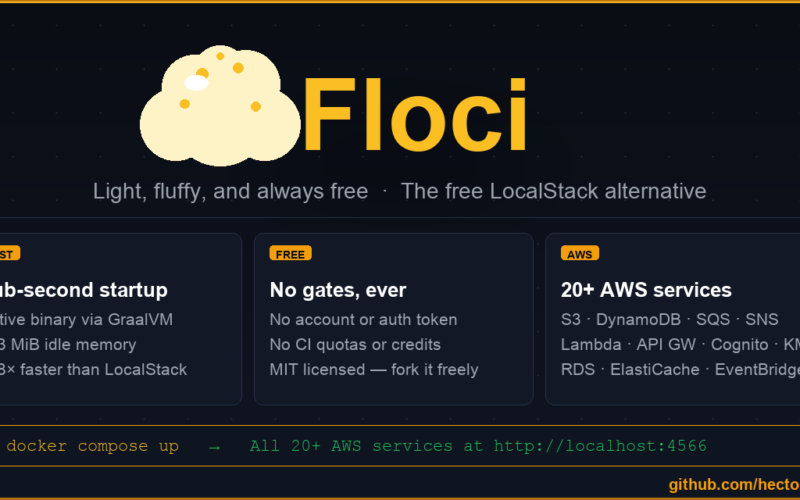
🍿☁️ Light, fluffy, and always free
Named after floccus — the cloud formation that looks exactly like popcorn.
A free, open-source local AWS emulator. No account. No feature gates. No CI restrictions. Just docker compose up.
LocalStack’s community edition sunset in March 2026 — requiring auth tokens, dropping CI support, and freezing security updates. Floci is the no-strings-attached alternative.
| Floci | LocalStack Community | |
|---|---|---|
| Auth token required | No | Yes (since March 2026) |
| CI/CD support | Unlimited | Requires paid plan |
| Security updates | Yes | Frozen |
| Startup time | ~24 ms | ~3.3 s |
| Idle memory | ~13 MiB | ~143 MiB |
| Docker image size | ~90 MB | ~1.0 GB |
| License | MIT | Restricted |
| API Gateway v2 / HTTP API | ✅ | ❌ |
| Cognito | ✅ | ❌ |
| ElastiCache (Redis + IAM auth) | ✅ | ❌ |
| RDS (PostgreSQL + MySQL + IAM auth) | ✅ | ❌ |
| S3 Object Lock (COMPLIANCE / GOVERNANCE) | ✅ | |
| DynamoDB Streams | ✅ | |
| IAM (users, roles, policies, groups) | ✅ | |
| STS (all 7 operations) | ✅ | |
| Kinesis (streams, shards, fan-out) | ✅ | |
| KMS (sign, verify, re-encrypt) | ✅ | |
| Native binary | ✅ ~40 MB | ❌ |
20+ services. 408/408 SDK tests passing. Free forever.
# docker-compose.yml
services:
  floci:
    image: hectorvent/floci:latest
    ports:
      - "4566:4566"
    volumes:
      - ./data:/app/data
All services are available at http://localhost:4566. Use any AWS region — credentials can be anything.
export AWS_ENDPOINT_URL=http://localhost:4566
export AWS_DEFAULT_REGION=us-east-1
export AWS_ACCESS_KEY_ID=test
export AWS_SECRET_ACCESS_KEY=test

# Try it
aws s3 mb s3://my-bucket
aws sqs create-queue --queue-name my-queue
aws dynamodb list-tables
Point your existing AWS SDK at http://localhost:4566 — no other changes needed.
// Java (AWS SDK v2)
DynamoDbClient client = DynamoDbClient.builder()
    .endpointOverride(URI.create("http://localhost:4566"))
    .region(Region.US_EAST_1)
    .credentialsProvider(StaticCredentialsProvider.create(
        AwsBasicCredentials.create("test", "test")))
    .build();
# Python (boto3)
import boto3
client = boto3.client("s3",
    endpoint_url="http://localhost:4566",
    region_name="us-east-1",
    aws_access_key_id="test",
    aws_secret_access_key="test")
// Node.js (AWS SDK v3)
import ⚡ from "@aws-sdk/client-s3";

const client = new S3Client({
    endpoint: "http://localhost:4566",
    region: "us-east-1",
    credentials: { accessKeyId: "test", secretAccessKey: "test" },
    forcePathStyle: true,
});
| Tag | Description |
|---|---|
latest |
Native image — sub-second startup (recommended) |
latest-jvm |
JVM image — broadest platform compatibility |
x.y.z / x.y.z-jvm |
Pinned releases |
All settings are overridable via environment variables (FLOCI_ prefix).
| Variable | Default | Description |
|---|---|---|
QUARKUS_HTTP_PORT |
4566 |
HTTP port |
FLOCI_DEFAULT_REGION |
us-east-1 |
Default AWS region |
FLOCI_DEFAULT_ACCOUNT_ID |
000000000000 |
Default AWS account ID |
FLOCI_STORAGE_MODE |
hybrid |
memory · persistent · hybrid · wal |
FLOCI_STORAGE_PERSISTENT_PATH |
./data |
Data directory |
→ Full reference: configuration docs
→ Per-service storage overrides: storage docs
MIT — use it however you want.
{💬|⚡|🔥} **What’s your take?**
Share your thoughts in the comments below!
#️⃣ **#GitHub #hectorventfloci #Light #fluffy #free**
🕒 **Posted on**: 1774156235
🌟 **Want more?** Click here for more info! 🌟
