


✨ Explore this awesome post from Hacker News 📖
📂 **Category**:
✅ **What You’ll Learn**:
What in the tarnation is an Atari Jaguar?
Released in North America in November of 1993, the Atari Jaguar promised to be the new cool kid in the block thanks to it’s (Highly debated) 64 bits of pure power.
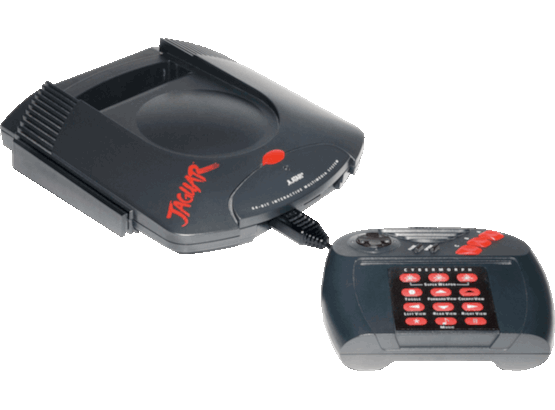
The Atari Jaguar
The console itself ended up being a commercial disaster, even after the release of the CD addon, the Jaguar CD; which managed to sell even less units in a desperate attempt to try and compete with the Sony Playstation and the Sega Saturn.
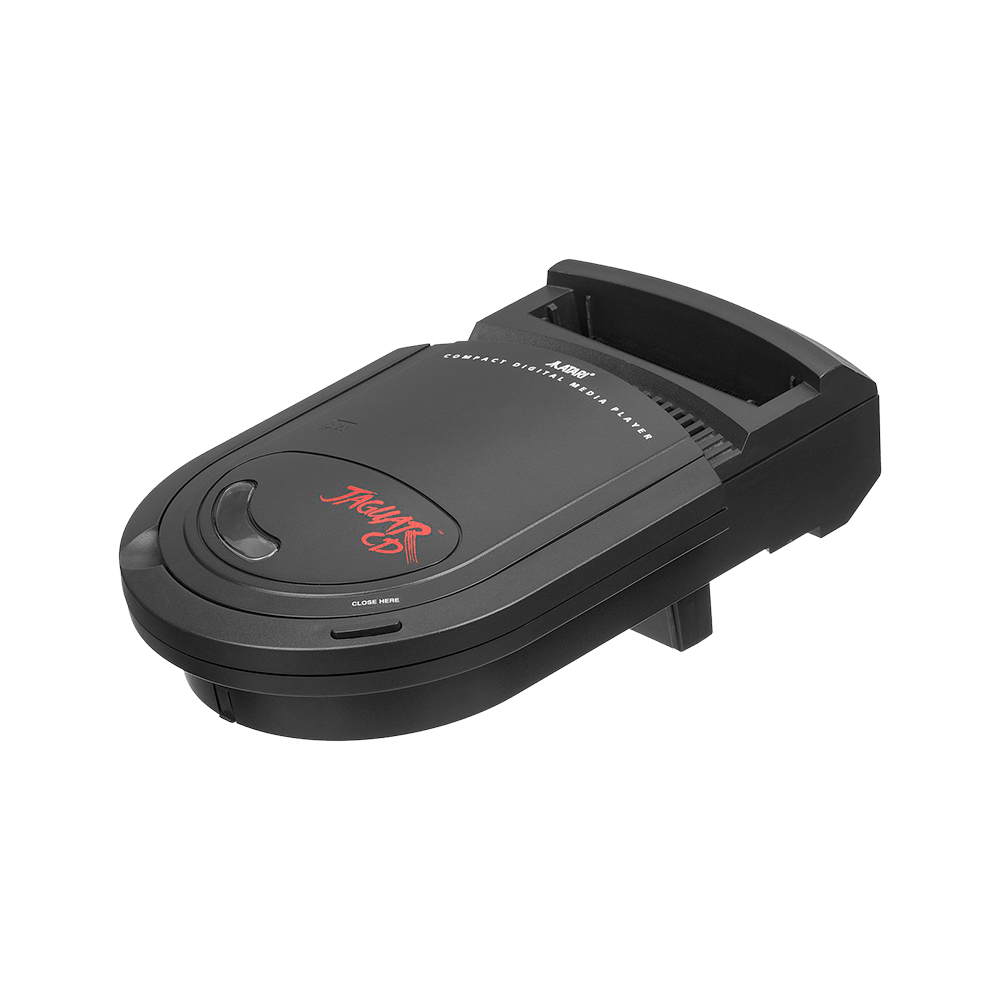
The Atari Jaguar CD Add-on
Why in the tarnation Linux of all things?
Interestingly enough, to this day, Linux has architecture code for the 68000-family of processors. 68040, 68030, 68010… and even the original base 68000 processor. All neatly structured under arch/m68k/.
As a refresher, the Motorola 68000 was a CISC processor with mixed 16-32 bit capabilities (It’s usually described as being 32-bit internally due to the register width length and 16-bit because the data bus was 16-bit, so 2-byte transfers at a time).
It had a 24-bit address bus, 2 to the power 24; thereabout a maximum of 16MBs of addressable memory.
It was released on 1979 to compete with the soon-to-be-released 16-bit CPUs of the era.
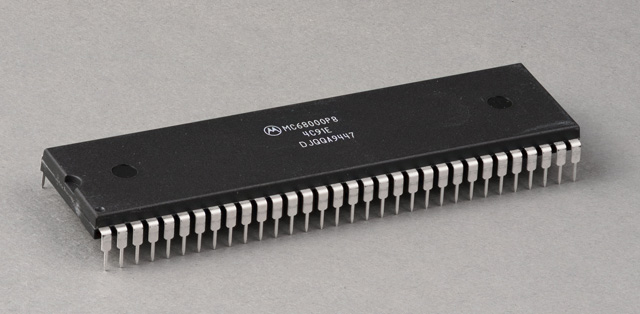
The Motorola 68000
Overall, it got lots of traction commercially; it ended up being incoporated in lots of popular commercial hardware. Biggest contenders are the original Macintosh (And Apple Lisa), the Commodore Amiga series of computers (With varying generations of the 68000), the Sega Genesis/Megadrive, the Neo-Geo AES, Plexus workstations… and the Jaguar.
Let’s now address the elephant in the room, why Linux.
Well, it’s easy; because we can (-ish).
jmp _linux?
Doing a bringup for a new 68000-based Linux port should be easy… right? Well… you’re in for a good time.
As you may know (Or not), there’s an extended thought that Linux requires an MMU to run (You know, being able to use virtual memory is a good thing if we want to run software w/o having day-long headaches).
Technically you are kind of right, but there’s uClinux; which precisely makes this feasible. At some point it stopped being a downstream fork of Linux to become part of it; thankfully it’s baked in for m68k (And well, the flat memory model and the rest of requirements you can imagine that an MMU-less system has).
Okay so, we enable all the required configuration flags on the Linux menuconfig (To basically tell it not to use an MMU and use the Flat Memory model), we compile and it should run right? Well yes… but no.
What actually jmp _linux involves
The Jaguar has 2 megabytes of RAM (Mapped at 0x000000), (up to) 6 megabytes of ROM (The cartridge, basically) mapped at 0x80000 and 2 custom ICs (Tom & Jerry, a “GPU” and a DSP) which are also memory-mapped.
The main hurdle we have is the memory footprint; while it’s true that it’s a good amount, it’s still not infinite (We’re talking megabytes, not gigabytes).
We basically need to find a way to try and optimize our RAM usage. We can do the easy things first, removing features from the kernel, disabling debug… the usual suspects; but we’ll still probably have the issue where we can’t load the kernel to RAM w/o going OOM (Heck, we’re not even considering an initramfs at this point, which are also bulky).
Thankfully, Linux is smart enough to let us “split” the kernel in 2 separate memory regions. One can take advantage of the fact that we can store the read-only sections of it (Think, .rodata or .text) on the cartidge (The ROM) and the dynamic sections (.data or .bss) in RAM (Think, XIP; eXecute-In-Place).
Fortunately for us, it’s a matter of telling it where we have the RAM, and where we have the ROM and it (Liunx) handles the relocations for us.
Cool, we can now fit Linux on the Jaguar and it should be able to execute… right? Well sure, you can try specifying the base of the kernel (Remember, non-PIC code) and loading it there and just doing a jmp $80000… but how do we know what is happening under the hood?
What Linux needs to boot
In the context of booting Linux, we need 2 things (At least, when doing the bringup):
- Any type of output so we can see kernel messages
- Any way to tick the system (A timer, basically)
The first requisite usually involves ye' good ol' UART. The Jaguar’s DSP (Jerry) has TXD & RXD pins that (At least for booting Linux) can be repurposed to do serial output (If we ignore anything that has to do with sound). Writing a small console driver that bitbangs the pins is enough to start seeing some earlyprintk messages.
The second one, is a bit tougher. But we can basically use any of the 2 timers that the Jerry IC has; commercial games & software use them for sound-related tasks but we’ll use them to basically enable Linux to calibrate and setup the scheduler and the systems that also depend on a PIT. It’s useful that they can both trigger an interrupt on the Jerry itself but also on the 68000. We can basically override the board-specific init of the 68000 on Linux and designate that as the PIT that Linux will use from now on.
We compile, we try to run…
…
Nothing?
Okay… that’s strange; we should be getting something? I mean, everything checks out… kernel config: check… addresses: check… compiler… compiler?
Turns out that the bundled m68k-linux- cross compiler on Ubuntu repositories emits unaligned memory accesses (Even after passing -68000) so it was, effectively, crashing (Since the base 68000 doesn’t implement unaligned memory access handling).
Using a compiler built from sources specifically targetting m68k-elf- for the 68000 seems to fix this, but it’s definitely a strange thing.
This also points out a separate problem; since our ROM isn’t mapped at 0x00000 but 0x80000, the 68000 tries jumping to VBR (0x0) and since there’s no handlers there it basically eats itself and burns down. This needed a separate memcpy of the so-called vectors to the base of RAM to fix in the Jaguar platform-specific Linux code.
I also had to compile gdb from source to get it to behave with MAME’s gdbtsub. For some reason gdb-multiarch was incorrectly orchestrating the stub and it’d jump around all the address space; which was fun until I decided to test with an m68k specific build.
Cool, we get now finally get some output:
Linux version 7.2.0-rc1+ (cakehonolulu@jaguar) (m68k-elf-gcc (GCC) 16.1.0, GNU ld (GNU Binutils) 2.46.1) #38 Sun Jul  5 11:56:37 CEST 2026
printk: legacy bootconsole [early_jerry0] enabled
uClinux with CPU MC68000
Flat model support (C) 1998,1999 Kenneth Albanowski, D. Jeff Dionne
Zone ranges:
  DMA      [mem 0x0000000000000000-0x00000000001fffff]
  Normal   empty
Movable zone start for each node
Early memory node ranges
  node   0: [mem 0x0000000000000000-0x00000000001fffff]
Initmem setup node 0 [mem 0x0000000000000000-0x00000000001fffff]
On node 0, zone DMA: 512 pages in unavailable ranges
printk: log buffer data + meta data: 4096 + 12800 = 16896 bytes
Dentry cache hash table entries: 1024 (order: 0, 4096 bytes, linear)
Inode-cache hash table entries: 1024 (order: 0, 4096 bytes, linear)
Built 1 zonelists, mobility grouping off.  Total pages: 512
mem auto-init: stack:all(zero), heap alloc:off, heap free:off
SLUB: HWalign=16, Order=0-1, MinObjects=0, CPUs=1, Nodes=1
NR_IRQS: 32
clocksource: jiffies: mask: 0xffffffff max_cycles: 0xffffffff, max_idle_ns: 19112604462750000 ns
Calibrating delay loop... 1.04 BogoMIPS (lpj=5248)
pid_max: default: 32768 minimum: 301
Mount-cache hash table entries: 1024 (order: 0, 4096 bytes, linear)
Mountpoint-cache hash table entries: 1024 (order: 0, 4096 bytes, linear)
Now it tries to find and execute an init process… which we don’t have… so it crashes again.
Userspace
One of the many limitations we have is, since we can’t use ELF files (We use FLAT binaries, mainly due to the nommu situation); so this complicates our toolchain setup a bit.
I wasn’t really able to find ways to compile elf2flt (The utility that basically converts from one format to the other) in a standalone way, it basically needs you to provide some .a and some .h files (Related to libiberty and akin) and those seem to have vanished from default configurations of binutils+gcc for the 68000… but strangely, buildroot seems to have had a recent update where they figured it all out for us for the base 68000.
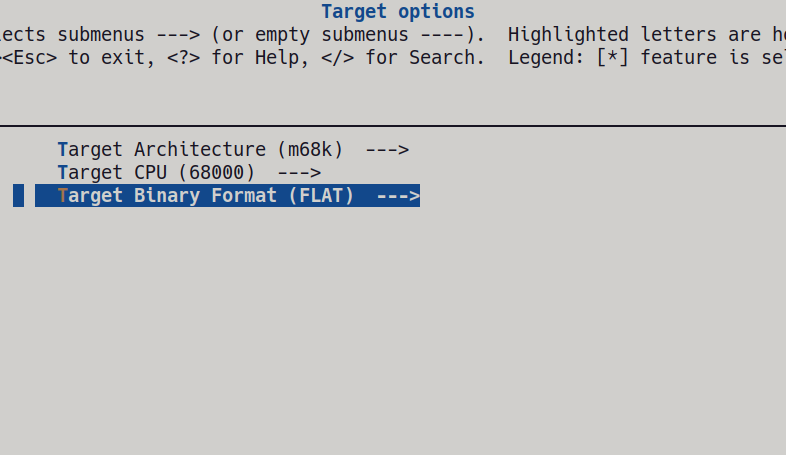
Kudos to the linuxmd project, the patch to enable m68k nommu is dated May 2026 (So as of writing this blog, 2 months old!)
So I basically had it do the thing for me and also decided to go for busybox which was one of the few (If not only) project of this kind that supports a nommu target.
There were some issues (Mostly related to me not having dealt with flat binaries ever) but again, nothing a few minutes of debugging and logging wouldn’t fix. The most glaring issue I was having was OOM issues everywhere when trying to execute init. I basically just did this:
❯ cat ~/jagfs/rootfs/init
#!/bin/busybox sh

/bin/busybox sh

❯
Usually you ask busybox to populate the rest of the utilities (It’s just symlinks to itself, with different names; what they call the applet design where based on argv[1] it knows which applet to dispatch: echo, ls, cat…), but for some reason that was OOMing the kernel; so it’s just sh for now (The shebang part also gets executed but seems not to eat up all the memory like --install does).
We now have a rootfs, we pack it as cpio and embed it into the vmlinux image itself… and voila!
As an exercise left to the reader, there’s a few interesting tidbits that you can basically check on Linux in regards of FLAT binaries (F.e, there’s different ways of handling the execution of them: Load the entire binary to RAM, do GOT/PLT relocation… all of which can be checked with flthdr).
❯ flthdr ~/jagfs/rootfs/bin/busybox
/home/cakehonolulu/jagfs/rootfs/bin/busybox
    Magic:        bFLT
    Rev:          4
    Build Date:   Thu Jul  2 03:08:09 2026
    Entry:        0x44
    Data Start:   0x1e0a0
    Data End:     0x25808
    BSS End:      0x2a1c0
    Stack Size:   0x10000
    Reloc Start:  0x25808
    Reloc Count:  0x100e
    Flags:        0x1 ( Load-to-Ram )
Pretty nifty thing…
There’s a separate tune we had to do on the toolchain’s libc (Which is uClibc) that involves modiyfing the malloc strategy to malloc-simple; else the metadata associated with faster and smarter allocations eat up our memory very fast and we’d panic again.
This memory allocation change was done within buildroot‘s uClibC menuconfig.
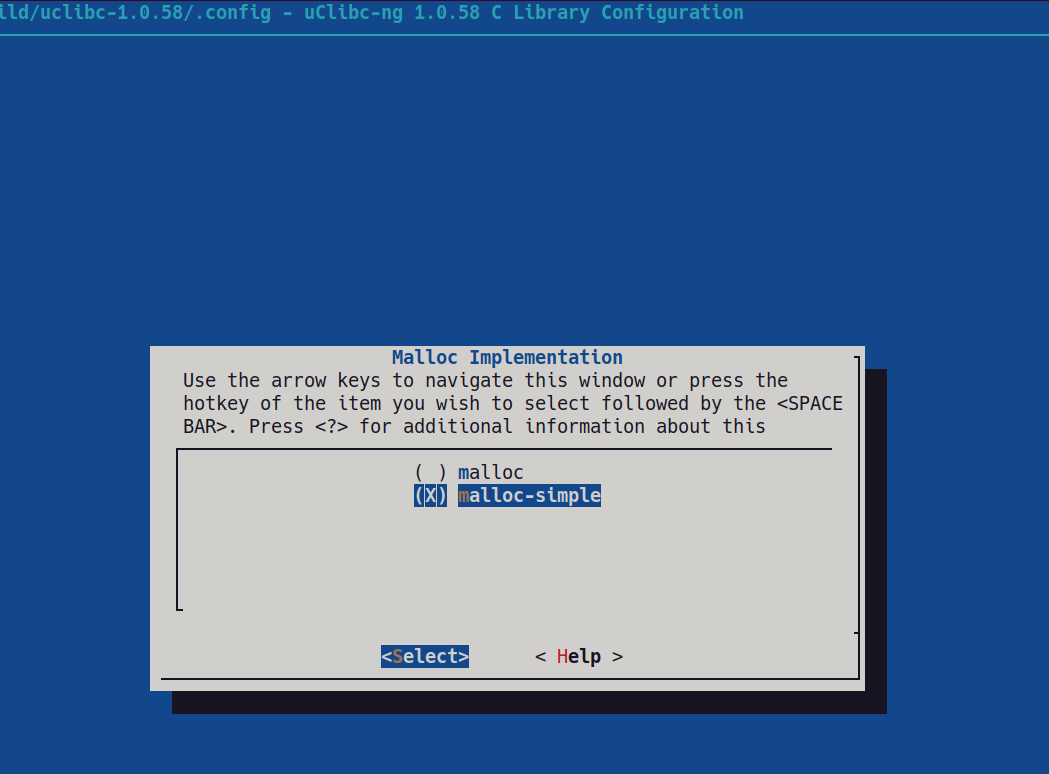
make uclibc-menuconfig
I also got some time to implement a simple Tom (GPU but not a GPU, more like word/object processor & blitter) console driver so this can be tested on real hardware too.
Don’t forget that if you run on real hardware, the converted-to-binary vmlinux (Using objcopy) needs to be compiled at a fixed offset from 0x80000 so that the Jaguar cart header can be added (Which in turn, jumps to whichever location you say it to). So you need to add an offset of 8KB to CONFIG_ROM_START, CONFIG_ROM_LENGTH (Which will be a bit smaller due to the increase in base address), CONFIG_ROMVEC and CONFIG_ROMSTART.
The basic idea to replicate the setup is, compile buildroot targetting the 68000 (With the malloc strategy changed). You can ask it to build busybox with a custom .config file path (Provided at end of post) so it’ll get you the FLAT binary. You then populate a simple initramfs file structure (There’s resources online on what you need to do, usually involves creating /⚡ directories and adding some mknode magic to /dev/ to prop up the /dev/console/ nodes plus an init script; which is also provided at the end of this post).
Then you tell Linux where you have your newly-built initramfs.cpio file and voilà!
That’s it!
Find the modified Linux repository over at: https://github.com/cakehonolulu/linux_jag
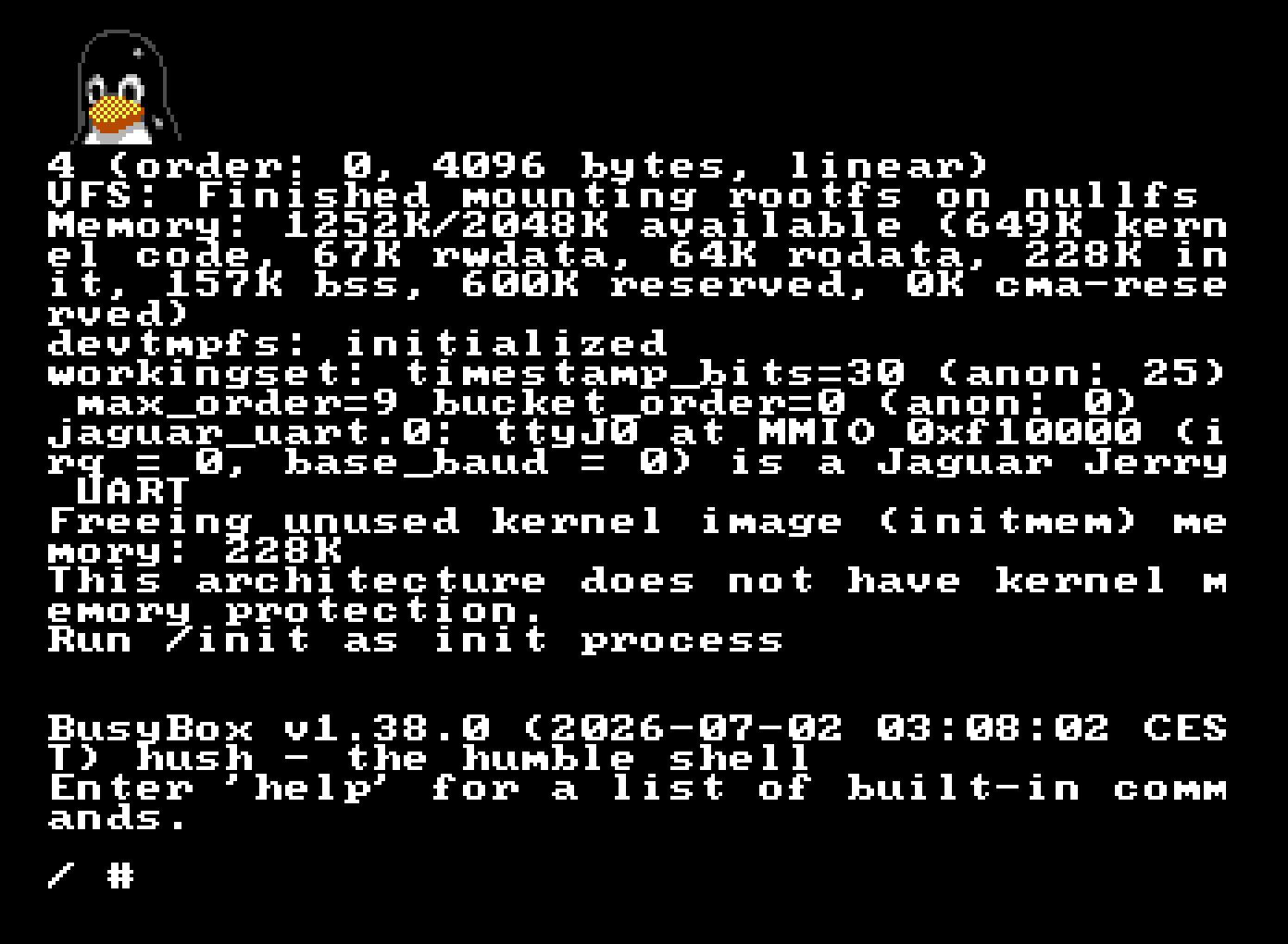
In contrast with linuxmd, we don’t have special cartridge mappers (SSF2, which gives an extra 4MBs of RAM on the MegaDrive) so I couldn’t really justify (Memory-wise) adding any bootloader (u-boot, for instance) so I basically went with the approach I documented on the blog (Of basically doing jmp _linux).
Misc. config. files if anyone wants to try
Busybox config
Init script
💬 **What’s your take?**
Share your thoughts in the comments below!
#️⃣ **#Linux #Atari #Jaguar**
🕒 **Posted on**: 1783366298
🌟 **Want more?** Click here for more info! 🌟
