

✨ Read this must-read post from Hacker News 📖
📂 Category:
📌 Here’s what you’ll learn:
UPDATE 2024-04-15: Windows Terminal 1.19 contains a fix that
reduces latency by half! It’s now competitive with WSLtty on my
machine. Details in the GitHub
Issue.
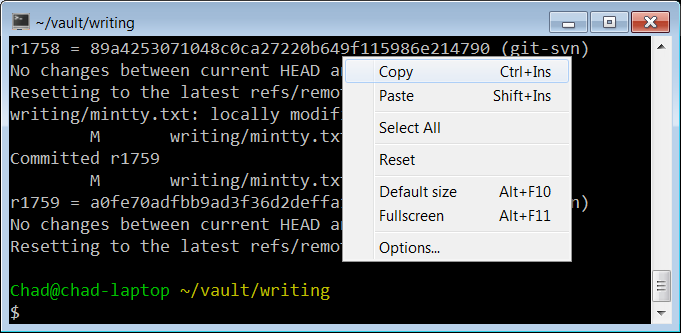
In 2009, I wrote about why MinTTY is the best terminal on
Windows.
Even today, that post is one of my most popular.
Since then, the terminal situation on Windows has improved:
- Cygwin defaults to MinTTY; you no longer need to manually install
it. - Windows added PTY
support,
obviating the need for offscreen console window hacks that add
latency. - Windows added basically full support for ANSI terminal
sequences
in both the legacy conhost.exe consoles and its new Windows
Terminal. - We now have a variety of terminals to choose from, even on Windows:
Cmder, ConEmu,
Alacritty,
WezTerm,
xterm.js (component of Visual Studio Code)
The beginning of a year is a great time to look at your tools and
improve your environment.
I’d already enabled 24-bit color in all of my
environments
and streamlined my tmux
config. It’s about time
that I take a look at the newer terminals.
Roughly in order, I care about:
- Minimum feature set: 24-bit color, reasonable default fonts with
emoji support, italics are nice. - Input latency.
- Throughput at line rate, for example, when I
cata large file. - Support for multiple tabs in one window would be nice, but tmux
suffices for me.
Which terminals should I test?
I considered the following.
- Legacy conhost.exe (also known as Windows Console), Windows 10 19045
- MinTTY (3.7.0)
- Alacritty (0.13.1)
- WezTerm (20240203-110809-5046fc22)
- Windows Terminal (1.18.10301.0)
Testing Features
Testing color and italics support is easy with my
colortest.rs
script. To test basic emoji, you can cat the Unicode emoji 1.0
emoji-data.txt.
To test more advanced support, try the zero-width joiner list in the
latest/ directory.
| Terminal | Emoji | Font Attributes |
|---|---|---|
| conhost.exe | No | No italics |
| MinTTY | Black and white | All major attributes |
| Alacritty | Black and white | Everything but double underline |
| WezTerm | Color | All major attributes |
| Windows Terminal | Color | All major attributes |
Everything but conhost.exe meets my bar.
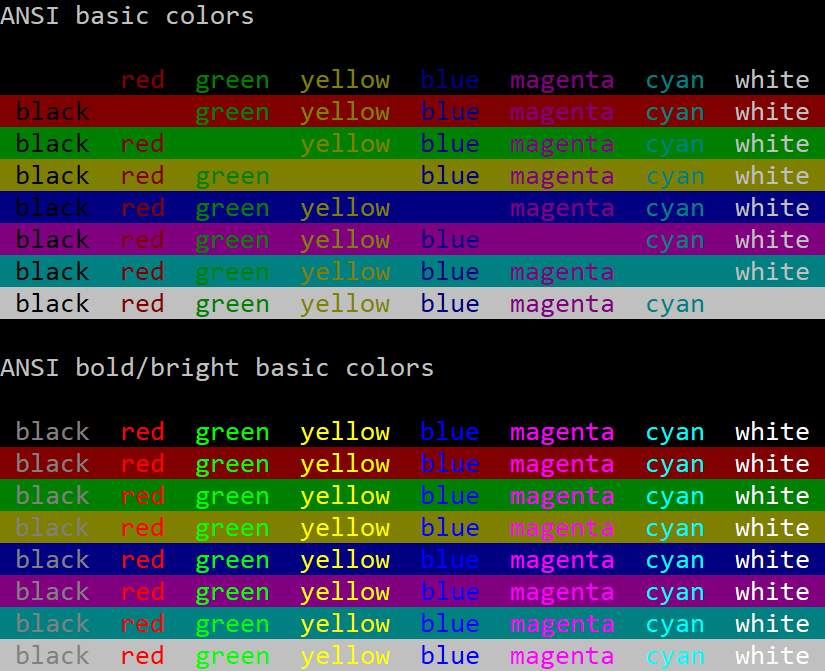
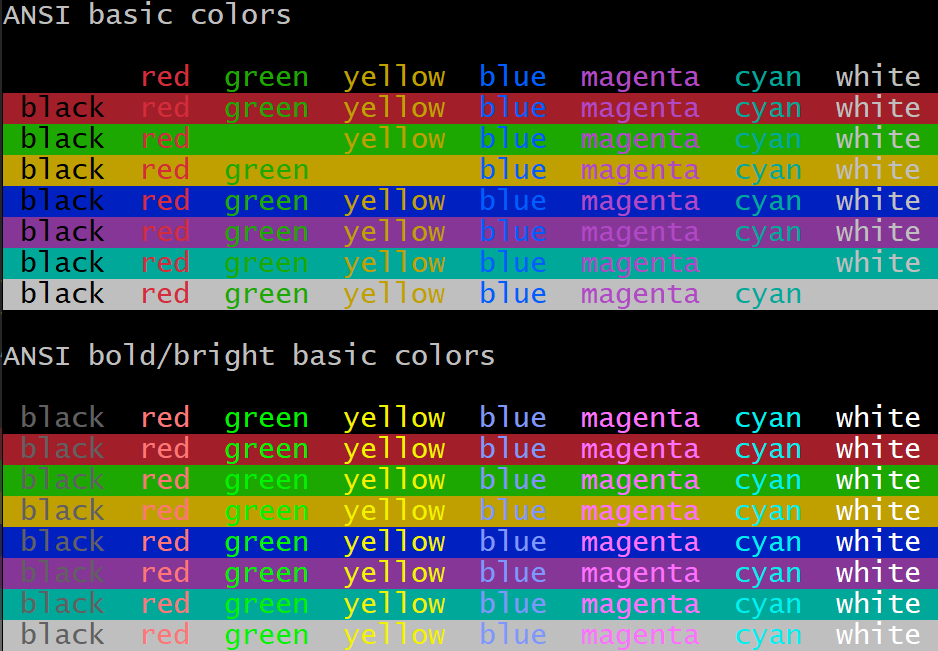
It’s also worth noting that conhost.exe has a terrible default
palette. The default yellow is a pukey green and dark blue is barely
visible. You can change palettes, but defaults matter.
Latency
I set up two latency tests. One with an 80×50 blank window in the
upper left corner of the screen. The other fullscreen, editing an
Emacs command at the bottom of the screen.
Since latencies are additive, system configuration doesn’t matter as
much as the absolute milliseconds of latency each terminal adds, but
I’ll describe my entire setup and include total keypress-to-pixels
latency.
Measurement Methodology
With Is It Snappy?, I measured the number
of frames between pressing a key and pixels changing on the screen.
To minimize ambiguity about when the key was pressed, I slammed a
pencil’s eraser into the key, and always measured the key press as the
second frame after contact. (The first frame was usually when the
eraser barely touched the key. It would usually clear the activation
depth by the second frame.)
I considered the latency to end when pixels just started to change on
the screen. In practice, pixels take several 240 Hz frames to
transition from black to white, but I consistently marked the
beginning of that transition.
I took five measurements for each configuration and picked the median.
Each measurement was relatively consistent, so average would have been
a fine metric too. It doesn’t change the results below.
80×50
80×50 window, upper left of screen, cleared terminal, single keypress.
Confirmed window size with:
$ echo $(tput cols)x$(tput lines)
80x50
| Terminal | Median Latency (ms) | 240 Hz Camera Frames |
|---|---|---|
| conhost.exe WSL1 | 33.3 | 8 |
| MinTTY WSL1 | 33.3 | 8 |
| conhost.exe Cygwin | 41.3 | 10 |
| MinTTY Cygwin | 57.9 | 14 |
| WezTerm cmd.exe | 62.5 | 15 |
| Alacritty WSL1 | 62.5 | 15 |
| WezTerm WSL1 | 66.7 | 16 |
| Windows Terminal WSL1 | 66.7 | 16 |
Fullscreen
Maximized emacs, editing a command in the bottom row of the terminal.
I only tested WSL1 this time.
| Terminal | Median Latency (ms) | 240 Hz Camera Frames |
|---|---|---|
| conhost.exe | 45.8 | 11 |
| MinTTY | 52.42 | 12 |
| WezTerm | 75 | 18 |
| Windows Terminal | 75 | 18 |
| Alacritty | 87.5 | 21 |
Throughput
I generated a 100,000-line file with:
$ yes "This sentence has forty-five (45) characters." | head -n 100000 > /tmp/lines.txt
Then I measured the wall-clock duration of:
$ time cat /tmp/lines.txt
This benchmark captures the case that I accidentally dump a ton of
output and I’m sitting there just waiting for the terminal to become
responsive again. I have a gigabit internet connection, and it’s
embarrassing to be CPU-bound instead of IO-bound.
I did include Cygwin in this test, just to have two different MinTTY
datapoints.
| Terminal | Elapsed Time (s) |
|---|---|
| MinTTY WSL1 | 0.57 |
| MinTTY Cygwin | 2.2 |
| Windows Terminal | 5.25 |
| Alacritty | 5.75 |
| WezTerm | 6.2 |
| conhost.exe | 21.8 |
I assume this means MinTTY throttles display updates in some way. Of
course this is totally fine, because you couldn’t read the output
either way.
To test the hypothesis that MinTTY was caching cell rendering by
their contents, I also tried generating a file that rotated through
different lines, with no effect.
with open("/tmp/lines2.txt", "w") as f:
  for i in range(100000):
    sentence="This sentence has forty-five (45) characters."
    print(sentence[i%len(sentence):]+sentence[:i%len(sentence)], file=f)
CPU Usage During Repeated Keypresses
While making these measurements, I noticed some strange behaviors. My
monitor runs at 120 Hz and animation and window dragging are generally
smooth. But right after you start Alacritty, dragging the window
animates at something like 30-60 frames per second. It’s noticeably
chunkier. WezTerm does the same, but slightly worse. Maybe 20 frames
per second.
I don’t know if I can blame the terminals themselves, because I
sometimes experience this even with Notepad.exe too. But the
choppiness stands out much more. Maybe something is CPU-bound in
responding to window events?
This made me think of a new test: if I open a terminal and hold down
the “a” button on autorepeat, how much CPU does the terminal consume?
To measure this, I set the terminal process’s affinity to my third
physical core, and watched the CPU usage graph in Task Manager. Not a
great methodology, but it gave a rough sense. Again, 80×50.
| Terminal | Percent of Core | Private Bytes After Startup (KiB) |
|---|---|---|
| conhost | 0% | 6,500 |
| Alacritty | 5% | 74,000 |
| MinTTY WSL1 | 10% | 10,200 |
| MinTTY Cygwin | 10% | 10,500 |
| Windows Terminal | 20% | 73,700 |
| WezTerm | 85% | 134,000 |
The WezTerm CPU usage has to be a bug. I’ll report it.
CPU Usage (Idle)
I often have a pile of idle terminals sitting around. I don’t want
them to chew battery life. So let’s take a look at CPU Cycles Delta
(courtesy of Process Explorer) with a fresh, idle WSL
session.
| Terminal | Idle Cycles/s (Focused) | Idle Cycles/s (Background) |
|---|---|---|
| conhost | ~900,000 | 0 |
| Alacritty | ~2,400,000 | no difference |
| WezTerm | ~2,600,000 | ~1,600,000 |
| Windows Terminal | ~55,000,000 | ~6,100,000 |
| MinTTY WSL1 | ~120,000,000 | no difference |
| MinTTY Cygwin | ~120,000,000 | no difference |
These numbers aren’t great at all! For perspective, I have a pile of
Firefox tabs open, some of them actively running JavaScript, and
they’re “only” using a few hundred million cycles per second.
Raymond Chen once wrote a blog post about the importance of properly
idling
in the Windows Terminal Server days. You might have a dozen users
logged into a host, and if a program is actively polling, it’s eating
performance that others could use.
Today, we often run on batteries, so idling correctly still matters,
but it seems to be something of a lost art. The only terminal that
idles completely is the old conhost.exe.
The other lesson we can draw is that Microsoft’s own replacement for
conhost.exe, Windows Terminal, uses over 10x the RAM, 60x the CPU when
focused, and infinitely more CPU when idle.
Conclusions
conhost.exe consistently has the best latency, with MinTTY not much
behind. MinTTY handily dominates the throughput test, supports all
major ANSI character attributes, and has a better default palette.
As in 2009, I’d say MinTTY is still pretty great. (I should try to
track down that idle CPU consumption. It feels more like a bug than a
requirement.)
If you want to use MinTTY as the default terminal for WSL, install
WSLtty.
The others all have slightly worse latencies, but they’re in a similar
class. I’m particularly sensitive to latency, so I’d had a suspicion
even before measuring. Maybe it’s some consequence of being
GPU-accelerated? Out of curiousity, I put Windows Terminal in
software-rendered mode, and it shaved perhaps 4 ms off (median of 62.5
ms, 15 frames). Perhaps just measurement noise.
While I’m going to stick with MinTTY, one thing is clear: there is
room to improve all of the above.
💬 Tell us your thoughts in comments!
#️⃣ #Terminal #Latency #Windows #Chad #Austin
🕒 Posted on 1762886916
