

🚀 Check out this trending post from Hacker News 📖
📂 **Category**:
✅ **What You’ll Learn**:
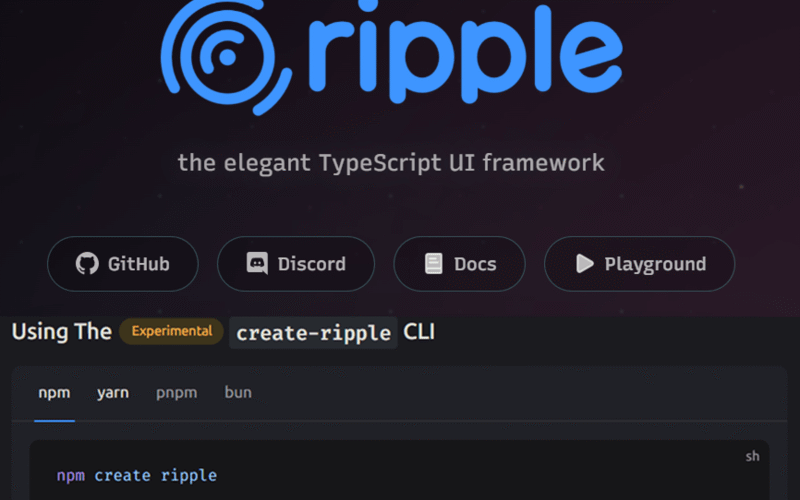
Ripple is a compiler-first TypeScript UI framework for building fast, clean, reactive applications with minimal boilerplate and optimal performance.
Why the Frontend World Needs Ripple in 2026
Front-end development has reached an unusual point in its history:
writing code is easy — maintaining it is hard.
AI accelerated code output, but did not solve code quality, consistency, or review overhead.
Traditional frameworks are powerful but often come with:
- verbose state handling
- over-rendering components
- heavy abstraction layers
- confusing refs/signals/hooks
- bloated bundle sizes
Ripple was designed for this moment. It prioritizes simplicity, clarity, and reactivity.
“Code should read like it does.”
What is Ripple?
Ripple is a compiler-first, fine-grained reactive UI framework with:
- TypeScript-first components
- reactive variables with
track()+@ - no Virtual DOM
- automatic dependency tracking
- inline control flow
- scoped CSS
Ripple’s Design Goals
1. Compiler Before Runtime
The compiler performs:
- DOM dependency analysis
- dead CSS removal
- scoped styling
- code transformation
2. Reactive by Default
let count = track(0);
<button onClick=💬>💬</button>
No useState, ref(), .value, $:, or signals.
3. Low Cognitive Load
Less to memorize. Business logic remains obvious.
4. Granular DOM Updates
Only updated nodes mutate — not whole components.
Getting Started
Initialize a new project:
npx create-ripple-app ripple-todo-appMove inside:
If integrating manually:
npm install ripple ripple-compiler ripple-domScripts
npm run dev
npm run build
npm run preview
Folder Structure
my-ripple-app/
├─ src/
│  ├─ App.ripple
│  ├─ index.tsx
│  └─ components/
├─ public/
├─ ripple.config.ts
├─ tsconfig.json
├─ package.json
Verify Setup
component App() {
  <h1>{"Hello Ripple"}</h1>
}
If it renders, you’re ready.
Ripple in 2 Minutes: Core Syntax
Reactive Variables
Read + Write
<button onClick={() => @count++}>{@count}</button>Reactive Collections
const todos = #[];
const user = #{ name: "Tom" };
Components
component Greeting({ name }) {
  <h1>{"Hello "}{name}</h1>;
}
Inline Control Flow
for (const item of items) {
Productivity Advantages
Ripple reduces maintenance cost by:
- fewer primitives
- direct reactivity
- compiler constraints
- minimal boilerplate
- tiny runtime
Building a Real Demo: Todo List
We’ll demonstrate Ripple’s power with a fully reactive Todo List.
TodoInput Component
import { track } from "ripple";

component TodoInput({ onAdd }) {
  let text = track("");

  function submit() {
    const v = @text.trim();
    if (v) {
      onAdd(v);
      @text = "";
    }
  }

  <div class="input">
    <input
      placeholder="Add a task..."
      value={@text}
      onInput={(e) => @text = e.target.value}
      onKeyDown={(e) => { if (e.key === "Enter") submit(); }}
    />
    <button onClick={submit}>{"Add"}</button>
  </div>
}
TodoItem Component
component TodoItem({ todo, onToggle, onDelete }) {
  <li>
    <input type="checkbox" checked={todo.completed} onChange={onToggle} />
    <span class={todo.completed ? "done" : ""}>{todo.text}</span>
    <button onClick={onDelete}>{"×"}</button>
  </li>
}
App Component
export component App() {
  const todos = #[];

  function add(text) {
    todos.push(#{ id: Date.now(), text, completed: false });
  }

  function toggle(t) {
    t.completed = !t.completed;
  }

  function remove(id) {
    const idx = todos.findIndex(t => t.id === id);
    if (idx >= 0) todos.splice(idx, 1);
  }

  const remaining = () => todos.filter(t => !t.completed).length;

  <div class="app">
    <h1>{"Todo List"}</h1>

    <TodoInput onAdd={add} />

    <ul>
      for (const t of todos) {
        <TodoItem
          todo={t}
          onToggle={() => toggle(t)}
          onDelete={() => remove(t.id)}
        />
      }
    </ul>

    <p>{todos.length}{" total / "}{remaining()}{" remaining"}</p>
  </div>
}
Framework Comparison
| Feature | Ripple | React | Vue 3 | Svelte |
|---|---|---|---|---|
| State model | track() + @ |
Hooks | ref() / reactive |
Stores |
| DOM updates | Fine-grained | VDOM diff | VDOM diff | Compile |
| Boilerplate | Very low | High | Medium | Low |
| CSS | Scoped | Modules | SFC Scoped | Scoped |
| AI-friendly | High | Medium | Medium | High |
| Runtime size | Small | Large | Medium | Tiny |
Who Should Use Ripple?
Ripple is ideal for:
- AI-assisted codebases
- dashboards & realtime UIs
- enterprise maintainability
- mobile/web hybrid UIs
- developers who dislike overengineering
Official Links
Final Thoughts
If React gave us JSX, Vue gave us SFCs, and Svelte gave us compilation, Ripple asks:
“What if UI could be reactive without ceremony?”
And it answers convincingly.
{💬|⚡|🔥} **What’s your take?**
Share your thoughts in the comments below!
#️⃣ **#Elegant #TypeScript #Framework**
🕒 **Posted on**: 1768125674
🌟 **Want more?** Click here for more info! 🌟
