

✨ Explore this must-read post from TechCrunch 📖
📂 **Category**: AI,Apps,Media & Entertainment,alexa+,Amazon,Amazon Fire TV,Fire TV,streaming,tv
✅ **What You’ll Learn**:
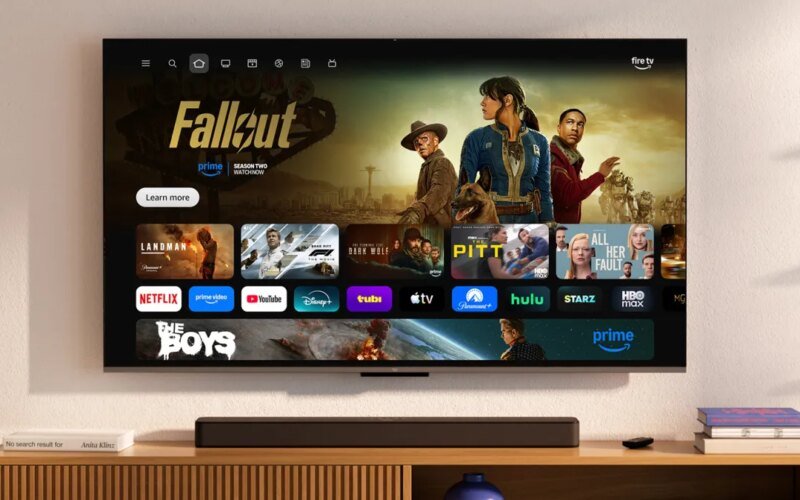
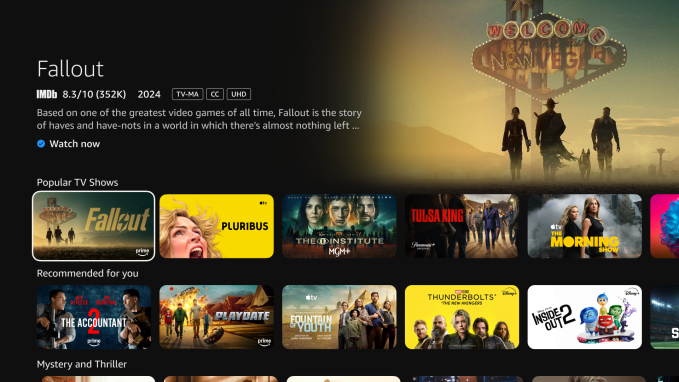
Amazon is rolling out a new user interface for its Fire TV streaming devices, designed to put more emphasis on content, while also simplifying navigation. The update, initially available to Fire TV owners in the US, marks the first major redesign of Fire TV in years.
The changes arrive after an explosion in streaming content has made it difficult to know what’s available to watch on what service, requiring streaming platforms like Fire TV to serve as more of a discovery center than just a tool for launching streaming apps.
The company first previewed the new design at the Consumer Electronics Show in Las Vegas in January, where it showed off an interface aimed at making the Fire TV less cluttered. The updated design features rounded corners, varied gradients, consistent typography, increased content spacing, and adds more space for pinned apps.
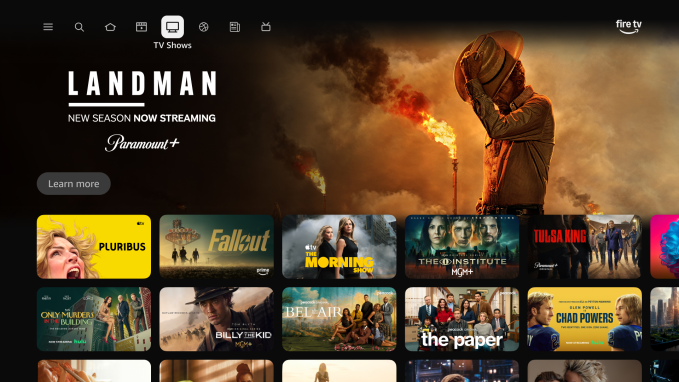
Previously, Fire TV users could only pin six apps to the home screen. Now, with smaller app icons, the update expands that to 20 app slots, accommodating services like Netflix, Disney+, YouTube, Prime Video, Hulu, HBO Max, and other top streaming companies.
Additionally, the navigation bar at the top of the screen has been simplified into categories highlighted with simple icons, including Movies, TV, Live TV, Sports, and News. The search button can also be easily accessed to the left of the Home tab.
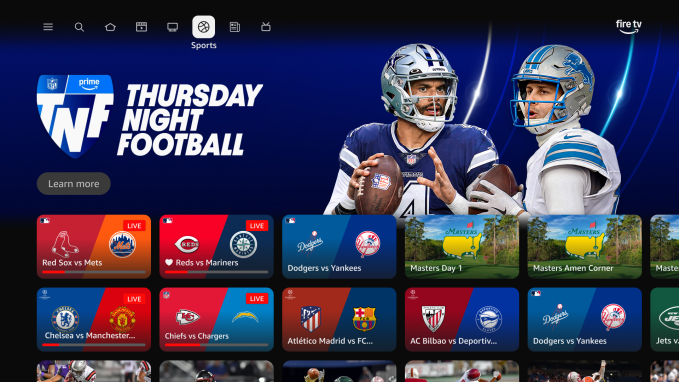
Within these tabs, Fire TV shows you the content you’re already watching and displays other suggestions drawn from the services you’ve subscribed to, organized into rows labeled “For You.” The tabs also highlight free movies you can stream, top movies and shows, and other paid content you might enjoy.
Meanwhile, the Live TV tab centralizes access to live content available across your streaming services, as well as streaming or cable TV, if you subscribe or use an antenna.
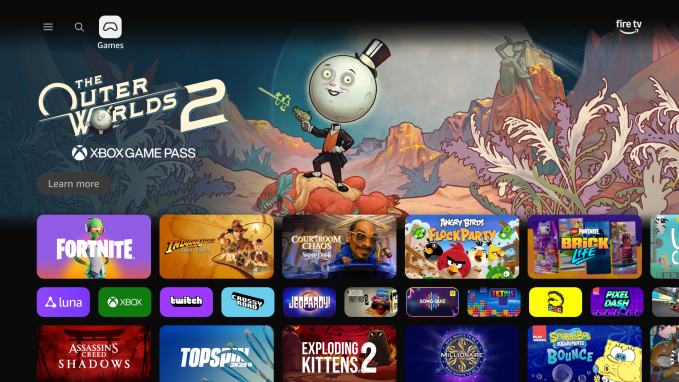
Less-used features are located under the three-line “hamburger” menu on the left, and include Games, Arts, Photos, App Store, Music, Video and Audio, a global watchlist called “My Stuff,” Settings, and other options.
Amazon’s Alexa + AI assistant has also been integrated into the new interface, allowing users to ask questions about almost any topic, not just movies and TV. Queries can be asked using natural language, and Fire TV owners can refine them or ask follow-up questions while chatting with the AI assistant. AI can also interact with on-screen content. For example, you can select a movie box and say, “Tell me more about this movie.” You can also ask specific questions like “Find me more movies that have the same look.”
Amazon recently announced that Alexa+ is available to customers with a Prime subscription as a built-in feature. Others can choose to pay for access separately.
The new UI is launching first on the Fire TV Stick 4K Plus, Fire TV Stick 4K Max (2nd generation), and Fire TV Omni Mini-LED series in the US. This spring, it will roll out to more countries and devices, including the latest generation of Fire TV 4K streaming players and TVs like the Fire TV 2-Series, Fire TV 4-Series, and Fire TV Omni QLED Series, as well as TVs made by partners like Hisense, Insignia, Panasonic, and TCL.
The update is also available on Amazon’s new Ember Artline, a new series of TVs that can make your TV screen look like a framed work of art when not in use.
⚡ **What’s your take?**
Share your thoughts in the comments below!
#️⃣ **#interface #Amazon #Fire #rolling**
🕒 **Posted on**: 1771407849
🌟 **Want more?** Click here for more info! 🌟
