


🚀 Explore this must-read post from Hacker News 📖
📂 **Category**:
💡 **What You’ll Learn**:
Right now, there are thousands of repositories on GitHub that are spreading malware. Any of you can find these repositories, and you don’t need any special knowledge to do so. All you have to do is use the standard search function on the GitHub website.
These repositories have been around for two years. GitHub has billions of dollars, a security team, and artificial intelligence. Why haven’t they solved this problem in two years?
First, we’ll look at the repositories we’ve already found, identify common patterns within them, and then use those patterns to find other repositories.
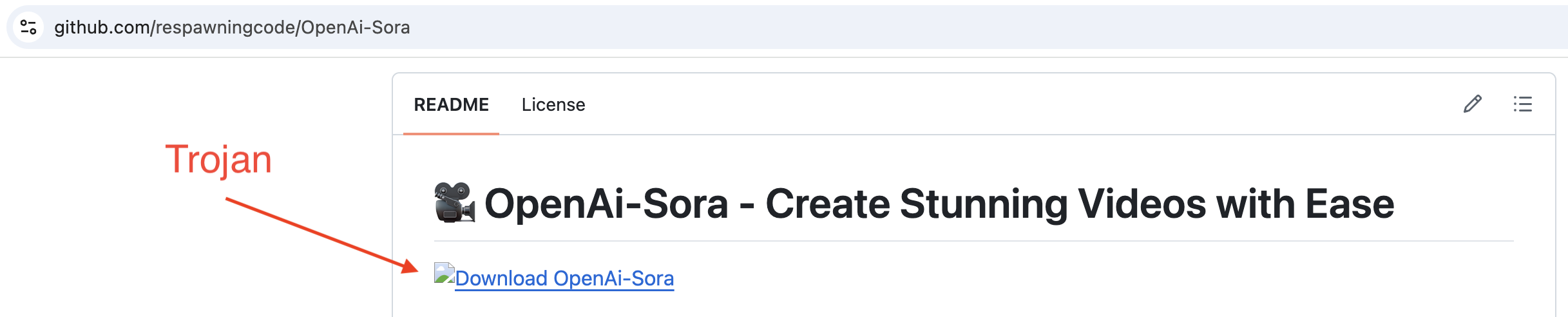
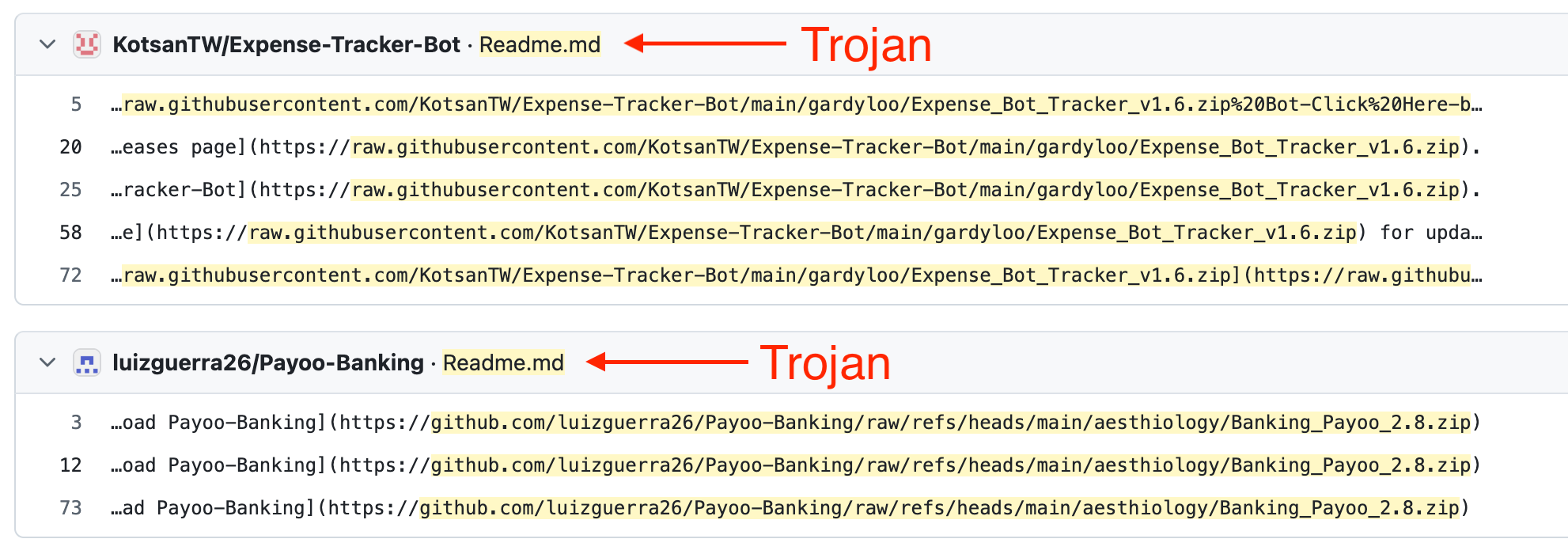
Take a look at these repositories; in each one, the readme contains a link to a zip archive containing a Trojan:
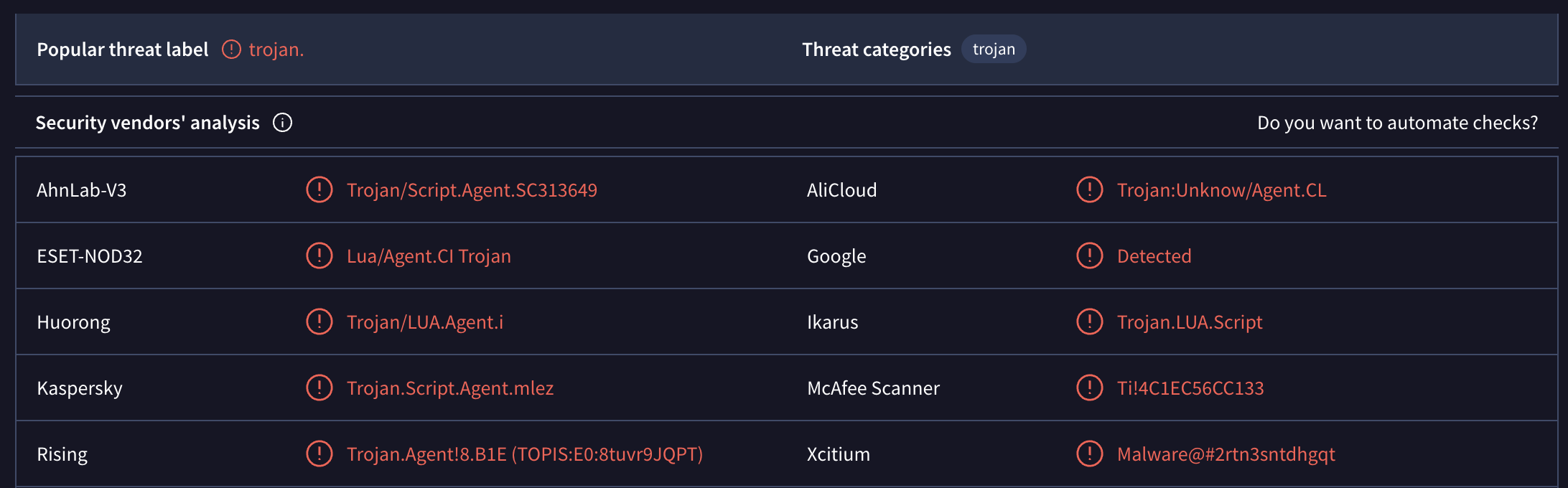
If we download this zip archive and submit individual files from it to VirusTotal, we’ll see the following results:
Even a quick glance at these repositories shows that they have the same structure, nearly identical headings, and every heading contains an emoji. That’s all the information we need to find other repositories.
Let’s use the heading “📥 Download” and search for that string on GitHub. But we don’t want to search the entire codebase — just the readme files. Go to github.com and enter the following in the search bar at the top:
path:readme.md “## 📥 Download”
The number of results will always vary. At first, it showed me 9k repositories, but when I went to page 2, there were only 109 repositories. After refreshing the page, it was back to 9k repositories.
In the search output, you’ll need to visually filter out the results that contain any other text besides just the heading. The heading variations will look something like this:
- ## 📥 Download Now
- ## 📥 Download Now Again
- ## 📥 Download the Software
- ## 📥 Download & Install
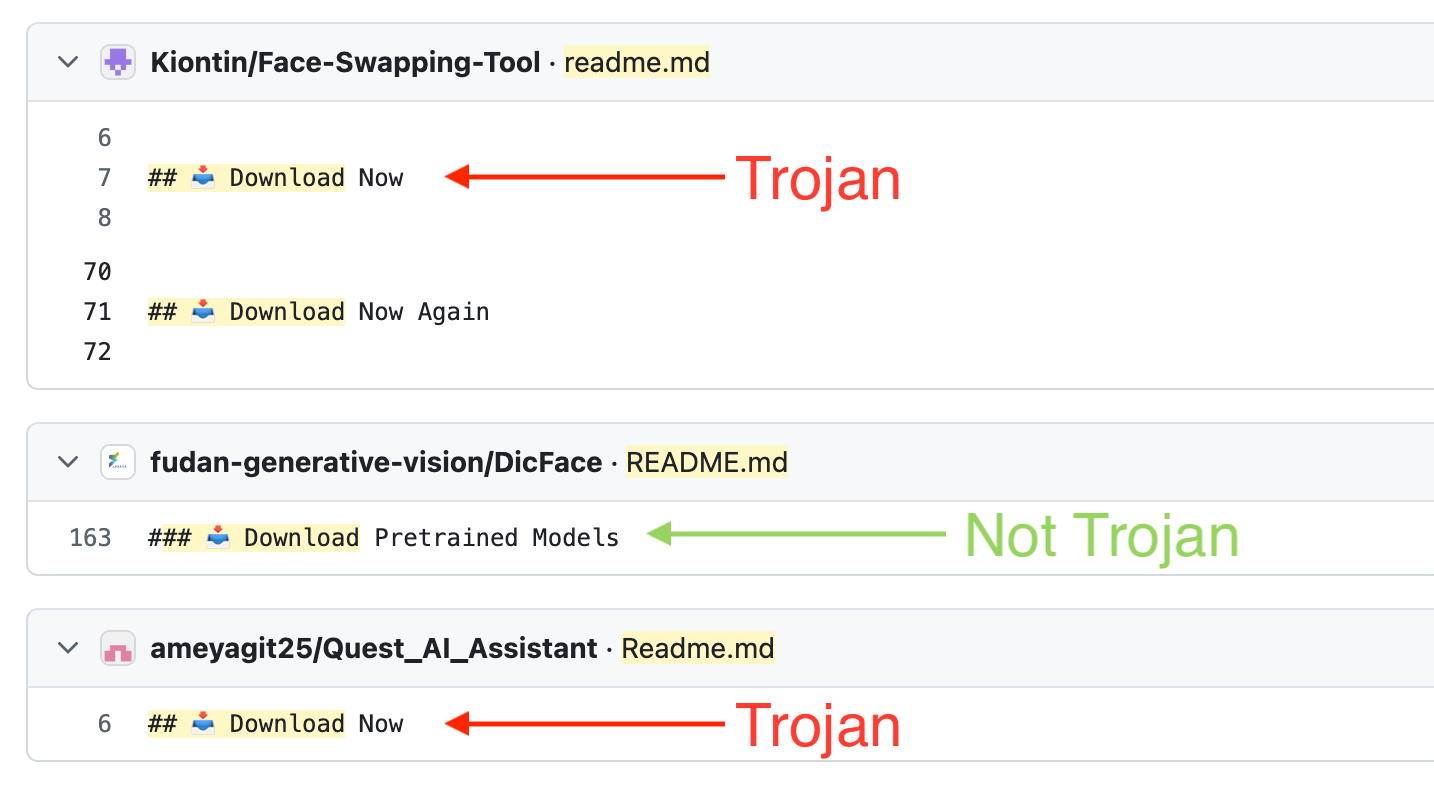
Open these repositories. They will have a link to a zip archive containing a Trojan.
However, the search results will include many legitimate repositories. We can improve the search by adding a search for zip archives. The search string will look like this:
path:readme.md “## 📥 Download” “.zip”
This will significantly improve the results. Now, right in the search results, we can see which repositories contain the heading we need and a link to a zip archive.
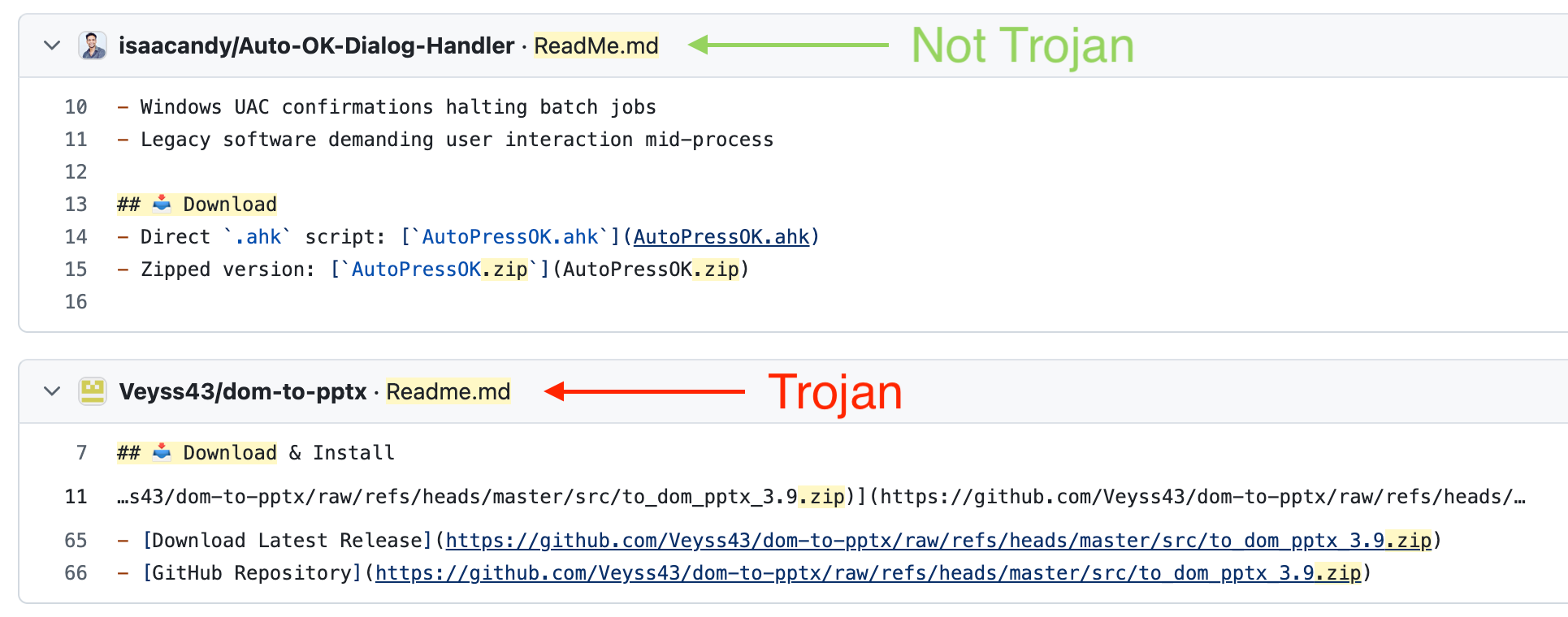
But these results still include legitimate repositories. How else can we refine the search query?
All links to zip archives lead to githubusercontent.com or github.com. Also, the zip archive contains a version number, for example, “Software-3.6.zip”. So we just need to write a regular expression to search for such links. But as I said at the beginning, you don’t need any specialized knowledge for this. Any free AI model can handle it. We feed it 10 such links, and after a few iterations, we get this result:
path:README.md /raw\.githubusercontent\.com\/.*\d+\.\d+\.zip|github\.com\/.*\/raw\/refs\/heads\/.*\d+\.\d+\.zip/
Enter this query, and you’ll get the repositories that are distributing the zip archive containing the Trojan. The number of repositories varies. In my case, sometimes there are 111, sometimes 4.4k.
But this entire search only worked because we had an initial list of repositories from which we were able to derive a general search pattern.
Maybe GitHub’s security team didn’t have these repositories?
Maybe they don’t know about this general pattern?
A month ago, I published an article in which I analyzed this scheme in detail. I wrote a script that found 10,000 such repositories. I published the list of all the repositories and the script on GitHub.
The article made it to the Hacker News front page. Other cybersecurity websites wrote about this scheme.
Here is the full list of actions GitHub took:
- They deleted all 10k repositories that the script found.
That’s it. They didn’t do anything else.
What’s more, a few hours later I ran the script again; it found new repositories, and I added them to the article. They weren’t blocked for an entire month. Even though all they had to do was open my article again, grab the new links, and block those repositories. That turned out to be too difficult for them.
But there’s one conclusion we can draw: they’re well aware of this malware distribution scheme.
No matter how hard I try, I can’t find an answer to why this is happening. Microsoft is a corporation with billions in revenue. They have thousands of employees, limitless resources, and artificial intelligence. All they needed to do was allocate a few days for any regular employee so they could use Copilot to find all these repositories and block them.
I’ve never worked at a large company. And I can’t imagine how decisions are made specifically at GitHub, or what bureaucratic nightmare managers have to go through to start combating malicious repositories.
But they deleted all 10k repositories just a few hours after the first article was published.
Why did they stop and take no further action?
Subscribe
⚡ **What’s your take?**
Share your thoughts in the comments below!
#️⃣ **#GitHubs #security #team**
🕒 **Posted on**: 1785097789
🌟 **Want more?** Click here for more info! 🌟
